provider
5G Live
Ask the active operator to confirm the product, supported device and support route for migration.
5glive.app · Check exact market
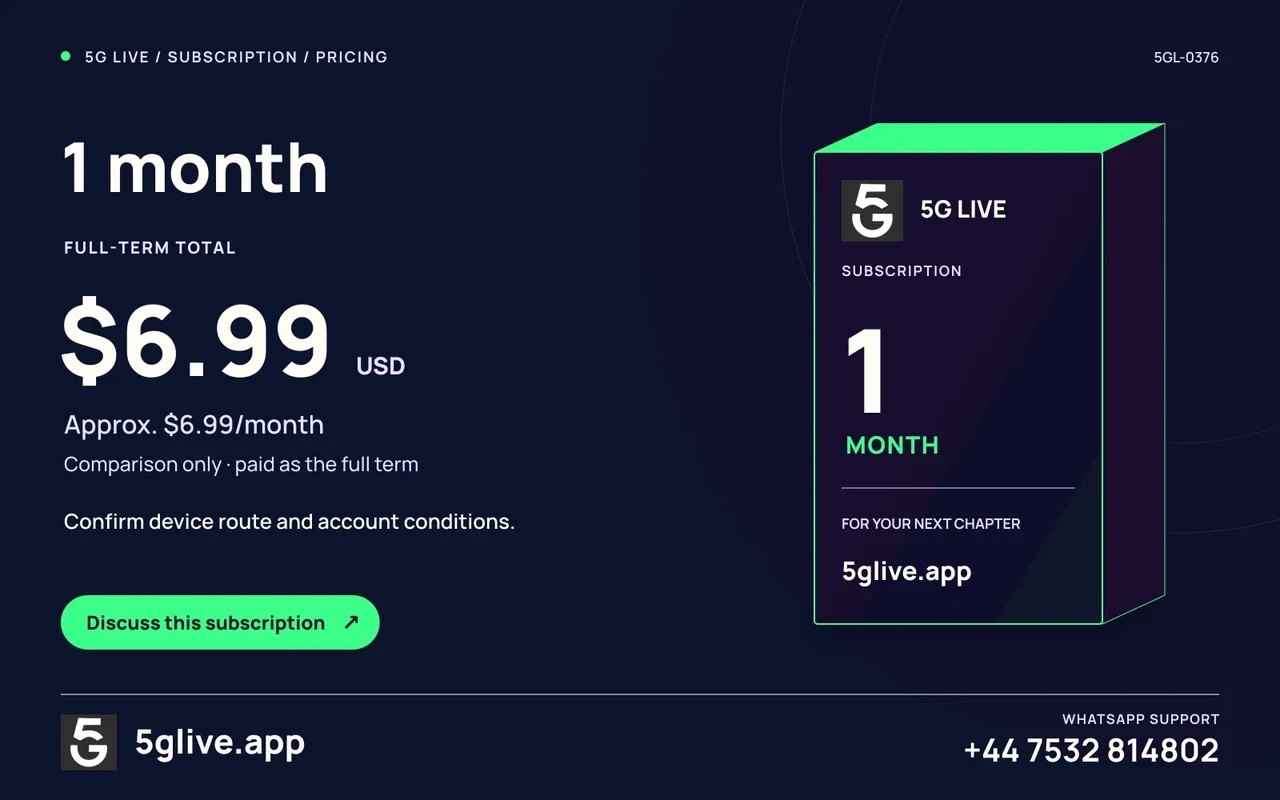
Open the official 5G Live websiteThe 1 month plan is listed at $6.99 USD. The operator also lists 3 reseller pack sizes.

5glive.app
The 1 month plan is listed at $6.99 USD. The operator also lists 3 reseller pack sizes.
The 1 month plan is listed at $6.99 USD. The operator also lists 3 reseller pack sizes.
Ask the active operator to confirm the product, supported device and support route for migration.
5glive.app · Check exact market
Open the official 5G Live website5G Live maintains the site at 5glive.app. Check who issues the invoice and who replaces the access if the app or TV changes. The buyer needs both answers before paying for a long term.
Document review · November 19, 2026. Playback performance, service rights and ZIP-level access require separate evidence.
The 1 month plan is listed at $6.99 USD. The operator also lists 3 reseller pack sizes.

5glive.app
There are two bills on the kitchen table. One keeps the house online. The other, if you choose 5G Live, buys a term of television service from 5glive.app. The second bill does not contain a mobile data plan, a SIM or a new signal for the back bedroom. A buyer with a good wired connection already has an excellent place to start a trial. A buyer with unreliable cellular reception has a separate decision to make about internet service, however attractive the television price looks.
The November 19, 2026 price card lists $6.99 for one month in U.S. dollars. It is an inexpensive way to answer a question that matters more than the name on the box. Can the person who will actually watch television reach the right program, at the right time, on the equipment already in the room? For an annual buyer the corresponding question costs $44.99 up front. There is a difference between finding a lower average monthly cost and finding a service a household will keep using.
The distinctive feature of this seller's business offer is unusually legible credit arithmetic. Its own reseller page says one credit covers one customer subscription month. A buyer can work through the cost of an annual activation before approaching the operator. The balance in that business panel and the months on a personal television account are two different things. Pick the personal or business route before requesting an order reference.
Begin with an ordinary sentence. “The cable line ends at a router in the hall, the bedroom stick joins its Wi-Fi, and the player runs on the stick.” That is a usable description of a system. “I have 5G and a smart TV” could mean a cellular home gateway, a router's 5 GHz wireless band, the seller's brand or all three. Those uses of the number five describe different things. Knowing which one is in the room saves time the first night something stops.
Where cellular home internet is involved, there are at least two wireless journeys. The gateway receives a carrier signal and the player may then use Wi-Fi to reach that gateway. A full Wi-Fi icon on the screen says little about the first journey. A strong carrier signal at the window says little about the television behind two brick walls. Run a normal viewing check next to the gateway and then at the television. Change only the player location or its connection for that pair of checks. A single speed reading taken on a different phone in a different room answers a different question.
The fixed-line household has a simpler choice. If the equipment supports it, connect one existing player to the router with Ethernet and use an authorized stream as a comparison. Keep the same television, account and program for the return to Wi-Fi. If the trouble follows only the room's wireless path, an extra television subscription is unlikely to be the first useful purchase. If two different services struggle on the same wired device, investigate the device or internet connection before asking a seller to replace an account.
A diagram can be as short as four labels written on a piece of paper. Add the name on the internet bill under the gateway, the player publisher under the app and the subscription receipt under 5G Live. Leave an open space for the television manufacturer. A family member looking at a blank HDMI input will then know which part to inspect. It is remarkable how often a system described this way becomes manageable without a technical overhaul.
| Term listed by 5G Live | USD due for the term | Rounded monthly equivalent |
|---|---|---|
| One month | $6.99 | $6.99 |
| Three months | $15.99 | $5.33 |
| Six months | $28.99 | $4.83 |
| Twelve months | $44.99 | $3.75 |
A year paid one month at a time would total $83.88 if every renewal remained at $6.99. The published annual payment is $38.89 lower. Four quarterly purchases at $15.99 would total $63.96. Two half-year purchases at $28.99 would total $57.98. Those are three different answers to “what could the year cost?” Each assumes the seller will renew at the same amount and that the account meets the family's needs throughout. The only amount due on the annual price card is $44.99.
Someone staying in a furnished apartment for a little over three months has a more interesting calculation. Three months plus one month amounts to $22.98. Four independent monthly terms would total $27.96. Buying six months immediately costs $28.99. A fixed four-month stay points to the first combination if the seller will apply the additional month without losing unused days. An uncertain stay can justify starting with one month and learning whether the building's network is adequate before putting down more money.
Try five months as a second example. A three-month term and two further months add to $29.97. The six-month offer costs $28.99, ninety-eight cents less even with one month unused. The discovery is useful when the checkout shows those precise amounts and the two choices carry equivalent terms. It does not settle a separate player licence, a charge for another connection, tax at payment or the right to use a second address. A small saving is easily overwhelmed by an extra charge no one thought to ask about.
Before committing, get one figure that includes every required part of the proposed setup. A household with a suitable player already installed may have no app purchase to make. Someone who chooses an independently licensed player could have another receipt. Record the recipient of each payment and the renewal setting for each. When the television works but an app licence expires in eleven months, this is the route back to the right support desk.
A mobile shopper has a second unit to consider. The subscription is sold in months. A carrier may charge or manage usage in gigabytes. A rough planning calculation for a steady bitrate is megabits per second multiplied by hours viewed multiplied by 0.45. That gives decimal gigabytes before network overhead. The factor comes from 3,600 seconds in an hour, eight bits to a byte and one thousand megabytes to a decimal gigabyte. The figures below are examples of chosen bitrates. They are not measurements or promised bitrates for 5G Live.
| Hypothetical average bitrate | One hour | Two hours on each of 30 days |
|---|---|---|
| 3 megabits per second | 1.35 GB | 81 GB |
| 5 megabits per second | 2.25 GB | 135 GB |
| 8 megabits per second | 3.60 GB | 216 GB |
| 12 megabits per second | 5.40 GB | 324 GB |
Suppose a permitted player averages eight megabits per second in a home trial and you expect ninety minutes of daily use for thirty days. The arithmetic gives 162 GB before overhead. Do not buy a carrier plan sized to that exact number. Adaptive video can change bitrate, the device may download software, and other people can be using the same line. Read the carrier's actual plan and measure a representative evening on its own usage meter. Some meters update later. Check the timestamp before believing the first number you see.
A useful comparison starts by noting the carrier's reading before and after the viewing period. Ask everyone else to avoid large one-off downloads during the sample if they are willing. Record the length of the programme, the selected player setting and any switch to a cellular fallback. A jump from home Wi-Fi to a phone hotspot can put one evening's data on a completely separate allowance. If two sessions give very different estimates, investigate that difference before multiplying either by thirty.
The same exercise matters with a fixed connection that has a monthly allowance. If the household already pays for ample fixed broadband, adding the full broadband bill to the price of the television subscription exaggerates the cost of this decision. If adding television will force a change of tier, the incremental cost belongs in the budget. For example, a hypothetical $10 monthly broadband upgrade adds $120 over twelve months, far more than the $44.99 television term. Whether that upgrade is actually necessary is a question for your line and your other usage.
5G Live describes a one-day trial. Ask whether it is available now for the intended U.S. location, when the clock starts and which player and connection allowance apply. A Friday activation at lunchtime can be a poor choice for a household that will not receive its streaming stick until Saturday. Ask for the day when the equipment and the people using it will be together. Historic trial wording is useful for opening a conversation. It is the written reply for this account that determines what can be tested.
Start with the single program that could make or break the purchase. Identify the broadcaster, station variant or home market, the scheduled date, the local time and any required caption or audio language. A long alphabetical lineup invites aimless scrolling. A thirty-minute test around a named program can answer whether the channel opens, the guide is attached to the correct feed and the second person in the room can read the subtitles. Note exactly which of those three checks passed.
Then do something quite ordinary. Leave the player, open another app, put the device to sleep and return to the program. Time the recovery from the viewer's point of view. Is the correct profile still selected? Can the viewer get back without retyping a private credential? Does playback return to the live edge or resume behind it? A fast initial launch loses some appeal if the regular user needs help after every interruption. A predictable extra button is often a better result than a flashy opening screen.
Reserve part of the window for the hour you actually watch. Traffic on a shared cellular or home network at nine in the evening can differ from traffic at nine in the morning. One working evening is evidence about that session, at that address, on that device. It cannot establish the service's long-term availability. Keep a concise note of the result so that the subscription decision rests on something more durable than the relief of seeing the first picture.
The provider publishes separate references for Fire TV, Android TV or Google TV, and iPhone or iPad. Those pages help you begin a setup conversation. A heading on a device page does not tell you which app version is currently in the local store, whether that app charges a fee or how many paid sessions the provider permits. Give the seller the model, operating system and name of the intended app in the same message.
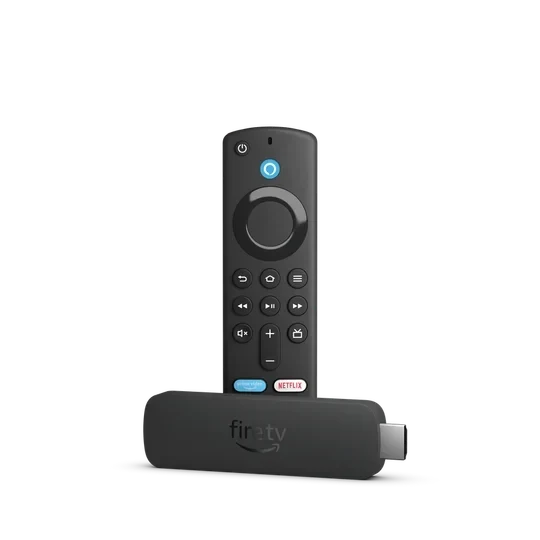
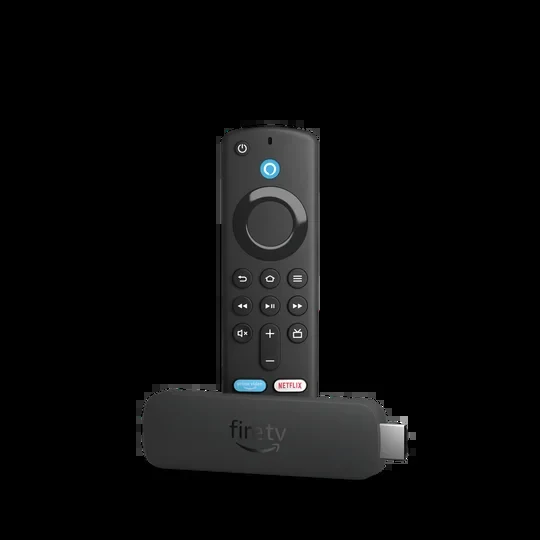
A Fire TV stick plugged into a smart television has its own operating system and remote. The menu you need may belong to the stick while the TV manufacturer supplies the input selector. Try switching away from the HDMI input, then returning with the remote a regular viewer will be holding. If you cannot get back to the app unaided, draw the two-button sequence before the trial ends. The seller's account settings cannot change the label your television assigns to an HDMI socket.
An Android phone and a television running Android TV may both have a familiar store logo while exposing different app catalogues and very different controls. Look for the exact app on the television with its own remote. Check whether the sign-in form can be completed from the sofa without a touch screen. If the player relies on a phone for initial setup, establish whether the phone is also needed each evening. Someone setting up a parent's screen may be happy to lend a phone on installation day and unwilling to make it part of regular use.
An iPad used while travelling raises a different issue. It can join the hotel's Wi-Fi or a mobile connection, but the subscription seller still has to confirm use away from the home location. An installed app and a network connection cover only two parts of the trip. Ask about permitted location, device changes and returning to the original screen. If you plan to leave somebody watching at home, describe that explicitly. A yes to “can I use my iPad?” is not an answer to “can both households watch simultaneously?”
| What the viewer sees | One observation worth making before changing settings |
|---|---|
| The television reports no signal | Check the selected HDMI input and whether the external player is awake. |
| The player starts but its guide is empty | Note whether saved channels still start and whether the guide has any dates. |
| The guide looks correct but one program is wrong | Compare the exact station and local start time with the broadcaster's schedule. |
| Video pauses while other online apps also stall | Try an ordinary authorized comparison on the same device and network. |
| Playback stops only when another screen starts | Ask the seller to confirm the active-stream allowance on this account. |
| Speech is hard to hear while music sounds normal | Check the selected audio track and the connection to any receiver or soundbar. |
Take the empty guide example. An empty guide, a guide full of old dates and a guide tied to the wrong station may produce the same complaint from the sofa. The account can still be active in all three situations. Record the date the guide displays and try one channel the household can identify. If the channel plays but every listing is from yesterday, report that observation to the player or seller with the model and time zone. Reinstalling an application before recording the symptom may erase favorites and make the original problem harder to describe.
When a stream freezes, ask what the device did immediately before it froze. Was it waking from sleep? Did the audio continue? Did the player return to a menu or sit on the last frame? If another household member happened to start playback, note the time. There is no need to share a playlist URL or a photograph containing an account token. Report an error message in text and describe the actions that reproduce it. Those details help identify who can act on the report.
For a hearing or language requirement, test a specific feed during a program known to offer the required track through the relevant broadcaster's service. Check the live program and any permitted replay separately. A player can display a caption control even when a particular feed contains no track. A language label can refer to menu text while the program audio stays unchanged. Only a result on the actual viewing path answers whether the subscription meets this person's need.
The reseller page lists three quantities. It documents one credit per customer subscription month. This makes it possible to quote inventory cost for a term without assuming that the household subscription price is a reseller's cost. These figures cover the published credit purchase only. They say nothing about your own staffing, payment fees, taxes, customer refunds or authorization for a proposed market.
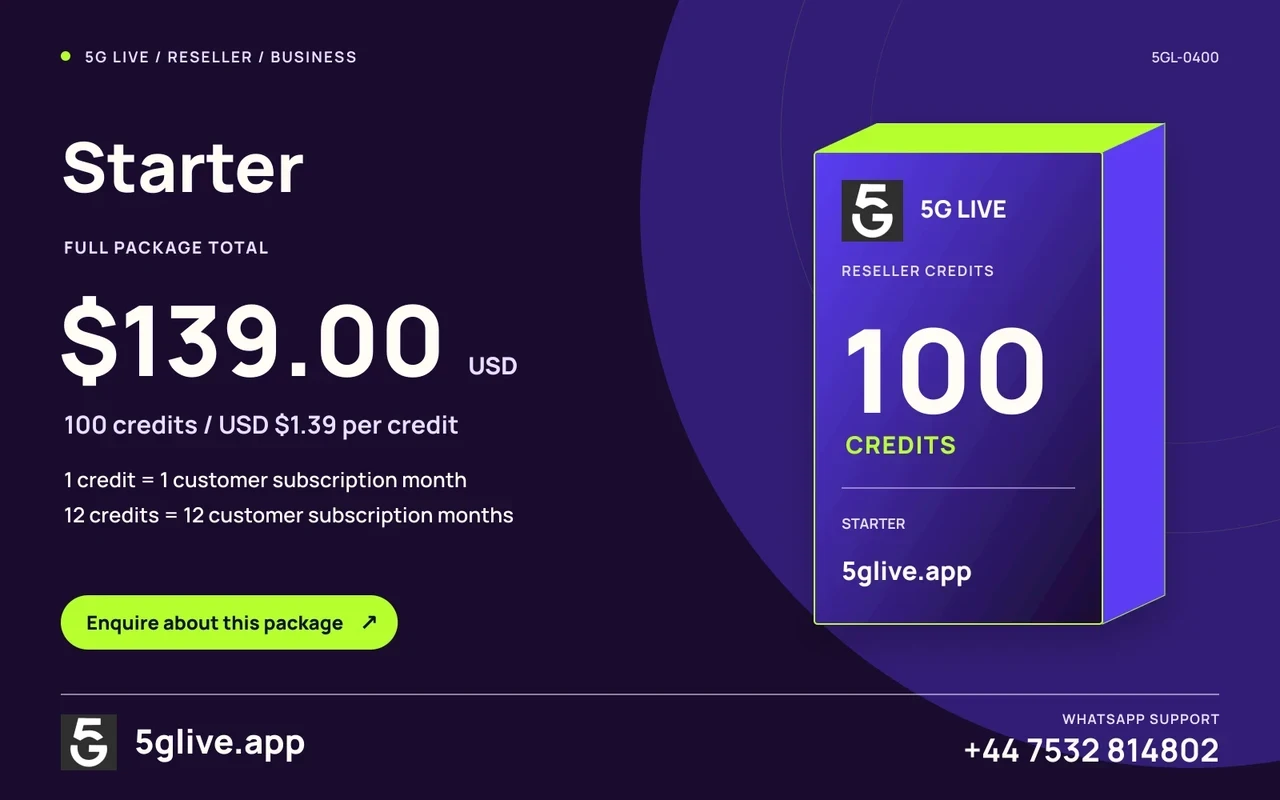
| Pack | Price in USD | Cost per credit | Six-month allocation | Twelve-month allocation |
|---|---|---|---|---|
| 100 credits | $139.00 | $1.39 | $8.34 | $16.68 |
| 300 credits | $399.00 | $1.33 | $7.98 | $15.96 |
| 1,000 credits | $1,290.00 | $1.29 | $7.74 | $15.48 |
Eight twelve-month activations require ninety-six credits. The hundred-credit pack leaves four after those eight activations. A ninth annual account requires another twelve. Four credits in the balance may be perfectly useful for a different duration, but they do not make a ninth annual activation possible on their own. If a customer asks for a term the current inventory cannot cover, settle the top-up and the permitted ordering sequence before taking responsibility for a start date.
A mixed opening month tells a different story. Four annual accounts, six quarterly accounts and ten one-month accounts use 48 plus 18 plus 10 credits. The total is 76 credits. From a hundred-credit purchase, 24 remain, enough for two more annual allocations under the stated rule. The operator's panel needs to confirm exactly when a deduction occurs, whether a failed activation returns the balance, and whether a renewal uses the same deduction as a new account. A correct multiplication cannot answer those operating questions.
The biggest pack improves unit cost by ten cents against the hundred-credit pack. On a single annual allocation that amounts to $1.20. The upfront payment jumps from $139 to $1,290. A small reseller planning only eight annual accounts is committing another $1,151 for stock that may sit unused. Ask about expiry, supported territories, top-up terms and the consequences of closing the operator relationship. A large number on a dashboard has value only when it can serve genuine customer commitments.
Consider a customer authorised for a three-month term. The account operator confirms the deduction, records the panel balance before and after the operation and checks that the expiry shown matches the agreed term. A useful private row holds the order reference, the operator's transaction reference, the term, the agreed start and expiry, the credit deduction and the resolved balance. The ledger can use a private customer reference while the billing system keeps contact information according to the business's own access controls.
The customer needs different information. Give them the term, their activation instructions via a private channel, the support contact and the renewal arrangement. A screenshot of the whole panel could expose other accounts or the operator's stock. A picture of a green confirmation screen also tells the customer less than a clear message identifying the account and its expected end date. Verify what happened before sending either.
When a support request arrives twice, use the existing order reference. An impatient second click or a message sent to two staff members can produce duplicate activations. Check for the original operation before issuing another. If a debit is visible without a confirmed account, give the operator the transaction reference, time and balance change through its private channel. A public thread can discuss how to reconcile a ledger, but no other viewer should be asked to investigate a private balance.
At month end, reconcile opening credits, confirmed purchases, confirmed corrections, completed allocations and closing stock. If you opened with one hundred, added no credits, completed the 76-credit example and have 22 left, there are two credits to explain. Do not silently round them away because the customer count looks right. One short term may have been entered more than once, or an adjustment may be pending. The panel history and the operator have to supply the answer. The arithmetic merely tells you where to look.
A private living-room subscription is one agreement. A reseller pack is a different commercial relationship. Someone who runs a small café has yet another question. Owning an account for private viewing does not establish public exhibition rights for customers. Describe the premises, territory and kind of programming to the relevant operator or rightsholder and obtain specific written authority before promising anything to the venue. A caption on a promotional graphic cannot provide that authority.
A prospective reseller should bring a realistic first-month forecast to the operator. State how many one-, three-, six- and twelve-month customers the estimate contains and in which market they would be served. Then ask which permissions the panel actually grants, when customer activation happens, what a failed issue does to stock and which support requests must go upstream. The published wholesale enquiry offers a place for a commercial conversation. It is not a price for managed hardware, white-label development or distribution rights.
For a business running its own authorized video event, start somewhere else. The technical questions concern an input stream, encoding, allowable audience, storage and delivery to viewers. Buying personal viewer months cannot ingest an event or deliver an encoder. The store's managed-video directory describes operators that publish these services. Keeping those projects separate prevents a buyer from being sent to a reseller pack simply because two different products use the word “server.”
For the home, the buying message can be much shorter. Give 5G Live the term you want, viewing area, player and counts of screens that must play together. Ask for the checkout total, activation window, any app charge and the renewal mechanism. If support confirms the setup in writing and the trial fits the room, choose the term whose time commitment matches the household. If the mobile carrier allowance runs out before the trial is useful, solve the connection budget before considering the annual payment.
Two people can watch what appears to be the same live program and hear a goal announced at different times. The path through an encoder, packaging system, network and player can introduce delay. A paused and resumed live player can also be behind the current edge. That observation is different from a device that repeatedly stops and waits for more data. Before buying a faster connection to chase a shorter delay, make sure you know which problem you actually have.
Try this on a program whose appearance you have permission to compare with an independent source. Start playback normally and note whether the action continues smoothly for several minutes. Open the player controls to see whether it reports live playback, a paused state or a position behind live. Return to the live edge if that option exists. Ask the other person which feed and region they are watching. Their picture could be a different edition, or a replay that happens to look live. Record a named event and the two clock times. Do not present the earlier clock as a reliable measurement of every part of the delivery chain.
A viewer trying to avoid spoilers can usually make a practical decision with less information. Mute score alerts for that viewing session, or choose a broadcaster-authorized route that meets the household's timing requirement. The seller can sometimes explain which feed the account receives. It cannot make a phone notification arrive later. If the household's requirement is watching a particular event within a strict delay tolerance, state that before a year-long commitment and ask what the seller can substantiate for the chosen device and location.
For stalling, the relevant observations change. Write down how many interruptions occurred during a fixed interval, approximately how long each lasted, and whether the sound kept running. Record the actual gateway path during that period. A constant twelve-second offset with uninterrupted motion and three thirty-second freezes in one half-hour are substantially different outcomes. Reporting each in those terms gives the household and the seller a better basis for action.
Consider two stops on the same trip. At the first, the vehicle uses a park's shared Wi-Fi. At the second, a mobile gateway supplies internet. The television, player and subscription can stay physically unchanged while the permitted viewing location, address seen by the seller, available network capacity and data allowance all change. A trial at the driveway answers whether the equipment works at the driveway. Ask which locations the account permits before designing the rest of the route around its use.
Some shared networks need a web sign-in before allowing general traffic. A phone may open that page immediately while a television simply reports a connection failure. Ask the site operator how it supports a streaming device on the guest network. Avoid sending subscription credentials to the network operator or sharing network passwords in the forum. If the network rules prohibit the intended use, the presence of a television app in the vehicle cannot change those rules.
Take a small itinerary. On the first night, note the city, time zone, named program, permitted connection and any network usage limit. When the second stop sits across a time-zone boundary, check both the device clock and the program's listed source zone. In November, a 7 p.m. New York program corresponds to 4 p.m. in Los Angeles on the same date. A show that seems to have vanished may already have aired. A guide that keeps displaying the previous city can make a correct source feed look wrong.
The renter or owner can decide how much paid time this travel experiment deserves. If television is an occasional convenience, the short subscription and a documented stopping point may be enough. If a particular viewer depends on accessible coverage every evening, ask for a written territory answer, make a plan for independent service where available and check the equipment at each type of permitted connection. Travel introduces several variables, so give the family a way to live without the television account on a night when one of them is unresolved.
The operator's price step from 100 to 300 credits makes sense to a business with confirmed use. Three 100-credit purchases would cost $417 at the recorded price. The 300-credit purchase costs $399, saving $18 if the business ultimately needs all three hundreds and small packs remain available at the same price. A reseller who needs only 110 credits today faces a different cash decision. Two small packs would cost $278 with 90 unused. One large pack at $399 would leave 190 unused. The second option buys one hundred additional stock units and spends $121 more today.
Now imagine demand of 660 customer months spread across a known period. Two 300-credit purchases and one 100-credit purchase provide 700 credits for $937 at the recorded prices. A single 1,000-credit purchase is $1,290 and leaves 340 credits after the forecast. The smaller combination leaves 40. If a business needs 660, has no other commitments and can buy the smaller packs on the published terms, the lower unit price of the thousand does not make it the lowest cash commitment for that forecast. If smaller quantities must be purchased in a special order or their availability changes, update the calculation.
Price alone still leaves the commercial decision unfinished. Ask whether an existing balance and a new pack combine in the same panel, whether different packs have separate expiry dates and whether the operator supports taking stock in more than one tranche. Request written handling for an unused remainder if the reseller closes. A purchaser can value the unused credits at their acquisition cost in a personal worksheet, but cannot assume the operator will buy them back at that amount.
For a useful forecast, separate paid commitments from enquiries. A message asking about a twelve-month plan is not twelve months sold. Enter confirmed activations, probable renewals and speculative new accounts in separate columns, and run the inventory calculation on the first column before adding the others. Keep the dates. A purchase that eventually makes sense over a year can still be too early if the business needs cash for support and customer corrections this month.
The public forum is a good place for a narrowly described problem. “Fire TV on living-room Wi-Fi plays correctly for ten minutes, then returns to the player menu when the bedroom screen starts” locates a point in a sequence. Add the player version if you know it, whether the seller confirmed concurrent sessions and what happened when the bedroom screen stopped. A useful reply can suggest a permitted one-screen check or explain where the player exposes its session state. Nobody reading the thread needs the full account URL.
When the account may have a billing or access problem, move the identifying details to the seller's private route. A public helper cannot see the authoritative order balance. The person who purchased the subscription should keep the receipt, current activation record and written duration agreement together. If two members of the family contact support, agree who will follow the reply. Parallel requests that ask for different changes can make it harder to establish which account the operator is working on.
A reseller reporting a panel change needs a slightly different record. Give the operator the private transaction identifier, the term ordered, expected credits, observed credits and relevant timestamps. Tell it whether a usable customer account was actually returned. A customer who has already received a working account needs continuity while the balance question is reviewed. Issuing the account again to prove the mismatch can use further stock. Wait for the operator to explain the first debit or its correction before authorising a duplicate.
Once a household or reseller has resolved the problem, a brief update to the forum can help the next reader. Say what changed and which result was checked afterward. For instance, a seller may confirm the account allowed only one active screen and the viewer may subsequently complete a permitted device switch. That supports a solution for that account. Avoid turning one private decision into a blanket rule for every 5G Live term. The next reader needs the observation, the condition that made it true and the method for confirming their own account.
Place the renewal review on a date when someone can still make a choice. Look at the actual paid total, the term used, any app charge and whether the home kept the same connection. Someone who moved from fixed broadband to a capped mobile plan may now have a different cost per evening even if 5G Live's published term price stays the same. Someone who replaced a television may need a new player licence or a different remote. A year's experience on yesterday's setup should not automatically decide the next year on a different one.
For the business desk, review the other side of the ledger. Compare paid credits with credits actually issued, list unresolved adjustments, and identify the accounts with an approaching expiry. Contact customers only through the established business arrangements for their accounts. Renewal timing should be based on written expiry and permission to proceed. A pile of unspent credit is no reason to extend a customer's account they asked to close. If the written terms, stock balance, device requirements and household budget all still fit, the next purchase becomes a straightforward one.
Suppose you expect to watch for six months. At the listed single-month amount, six separate purchases would total $41.94 USD. The six-month offer asks for $28.99 USD up front. That comparison assumes every new month is available at the listed amount. Check renewal separately before relying on it.
| Viewing period | Separate monthly purchases | Single matching term | Difference | Monthly purchases to reach term price |
|---|---|---|---|---|
| 3 months | $20.97 USD | $15.99 USD | $4.98 USD | 3 |
| 6 months | $41.94 USD | $28.99 USD | $12.95 USD | 5 |
| 12 months | $83.88 USD | $44.99 USD | $38.89 USD | 7 |
Read the final column as a spending threshold. If you expect to cancel sooner, compare the shorter commitment with the cash you would have paid up front. The figures exclude fees the seller has not confirmed.
Check 5G Live subscription termsThe smallest priced pack in this register holds 100 credits and costs $139.00 USD. The largest holds 1000 for $1,290.00 USD. Their displayed unit costs are $1.39 and $1.29 respectively. The published deduction for a standard twelve-month customer is 12 credits. Check the operator’s treatment of additional screens and renewals.
The image link identifies the exact file served by the provider.
Choose a matchup to see the actual currency, term and outcome.
Open the caption on a website-sourced image to see its original. The remaining captions identify material supplied with the provider archive.