provider
Strong 8K IPTV
Check the Strong offer path, the full USD term and the exact player before opening an order.
8kiptv.io · Check exact market
Open the official Strong 8K IPTV websiteThe 1 month plan is listed at $9.99 USD. The operator also lists 3 reseller pack sizes.

8kiptv.io
The 1 month plan is listed at $9.99 USD. The operator also lists 3 reseller pack sizes.
The 1 month plan is listed at $9.99 USD. The operator also lists 3 reseller pack sizes.
Check the Strong offer path, the full USD term and the exact player before opening an order.
8kiptv.io · Check exact market
Open the official Strong 8K IPTV websiteStrong 8K IPTV maintains the site at 8kiptv.io. Check who issues the invoice and who replaces the access if the app or TV changes. The buyer needs both answers before paying for a long term.
Document review · November 19, 2026. Playback performance, service rights and ZIP-level access require separate evidence.
The 1 month plan is listed at $9.99 USD. The operator also lists 3 reseller pack sizes.


8kiptv.io
A television says “8K” in large letters. Under it sits a list of account choices. Someone in the family has paid for a year, another person installed the app, and the person holding the remote has been given a short code. Which of those three pieces starts the television service? This is a useful way into Strong 8K because its own material shows several different interfaces. A player, a way to find its installer, an account selection and an active subscription can all carry familiar branding while doing different jobs.
The seller reviewed here is Strong 8K IPTV on 8kiptv.io, whose store lives under the strong section of that domain. Its published household terms are $9.99 for a month, $24.99 for three months, $39.99 for six and $54.99 for a year. Its separate reseller model uses one credit per customer-month. Those particulars identify the offer more reliably than the word “8K” on an app icon. Several similarly named services have separate storefronts, support routes and account records.
For the family holding the remote, the first useful question is where the process stopped. Did the app open? Did it ask for the provider, a playlist or account details? Did it accept the account but open to an empty list? Those stages point to different people and different records. Picking another annual plan from the shelf will not straighten out the first two. A picture of the welcome page, with private information concealed, can save more time than a page of guesses about what might be wrong.
The guide below follows an account from purchase planning through the first evening, a later change of screen and, for trade customers, the way a customer-month becomes a panel entry. The prices give the examples an honest scale. None of the examples is presented as an observation of live performance at your address. The seller can answer for the issued account; your own trial can answer for the person and television that will use it.
Think of four separate items on a kitchen table. The television or external box belongs to the household. A player application runs on that equipment and has a publisher. The service account comes from the merchant that accepted the order. A program, film or broadcast belongs to its respective supplier. When support asks what happened, start with the item that showed the symptom. “My player disappeared after a device update” and “my renewed account still shows yesterday's expiry” may involve the same screen but lead to different desks.
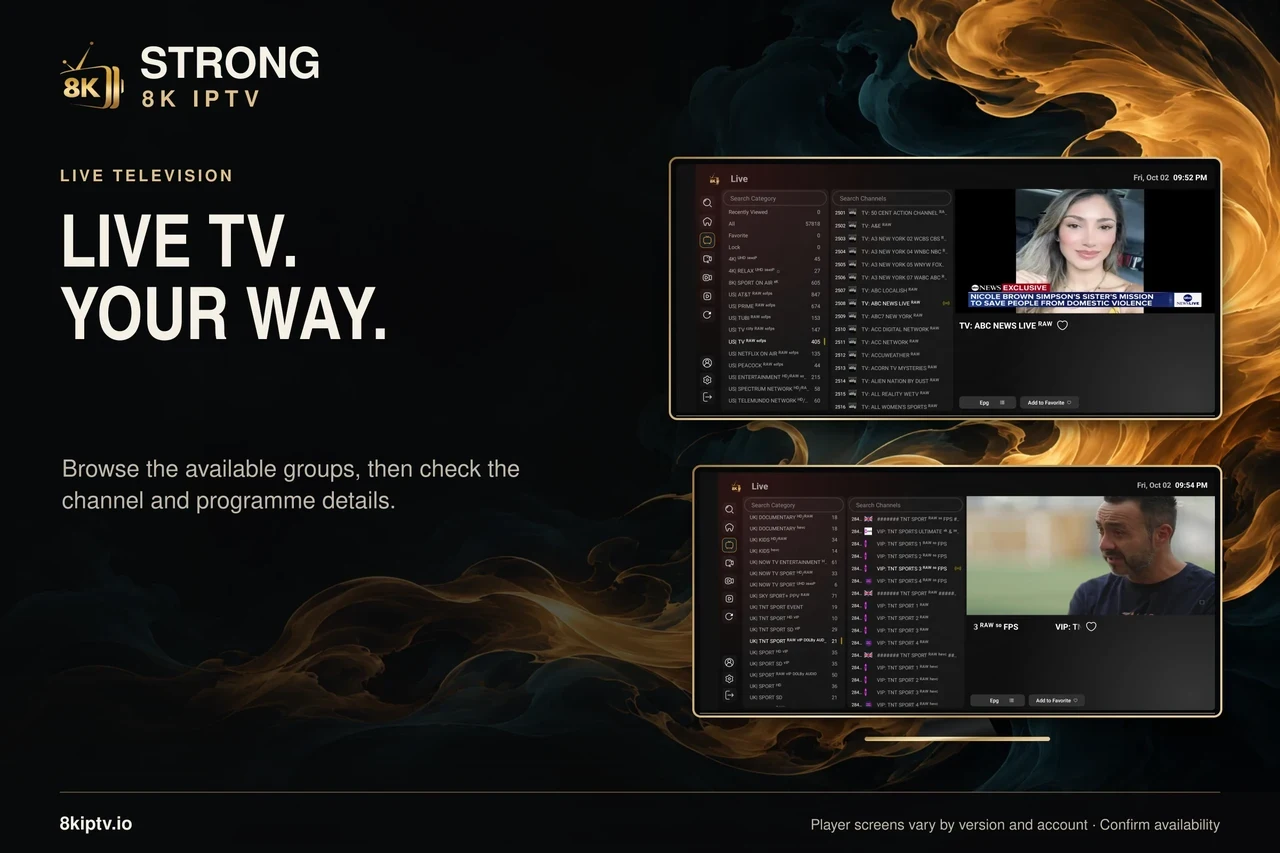
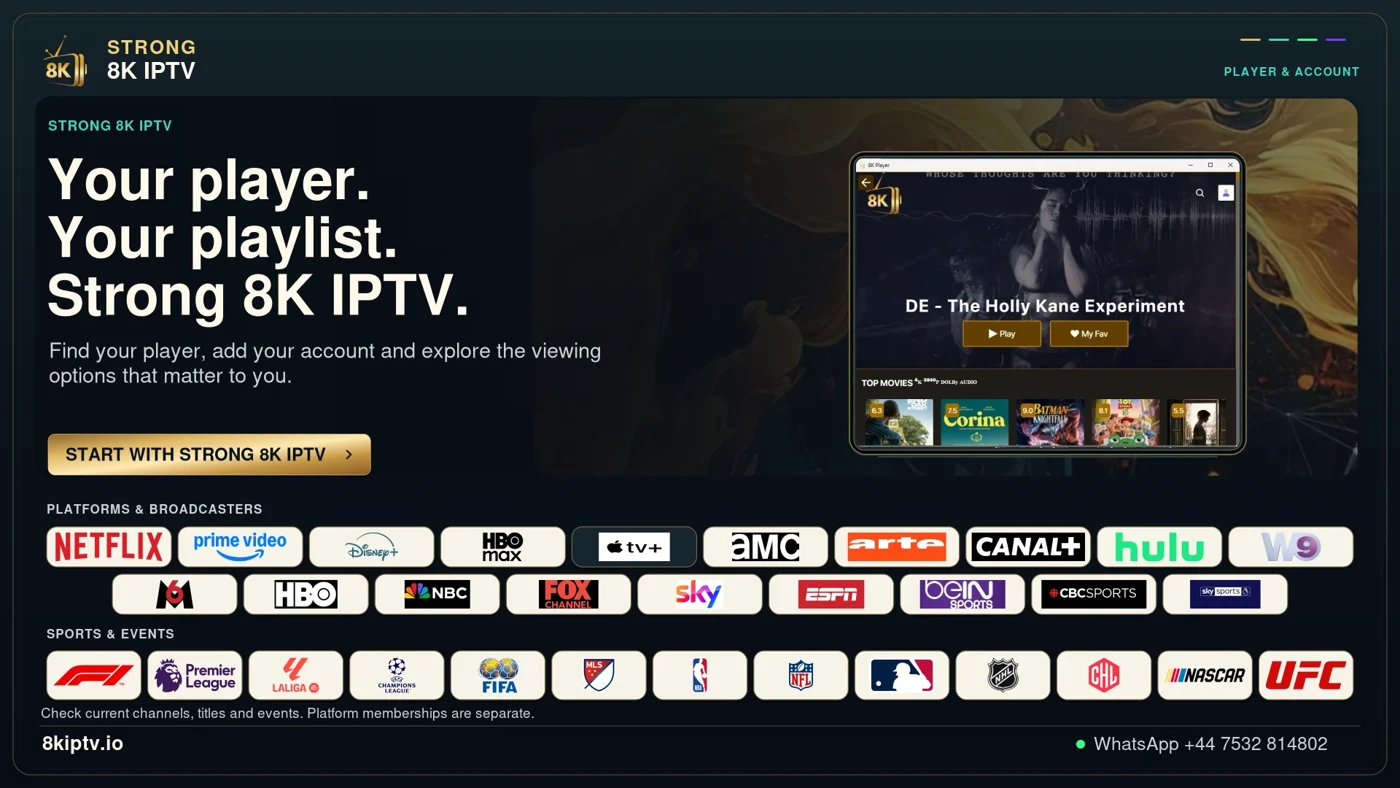
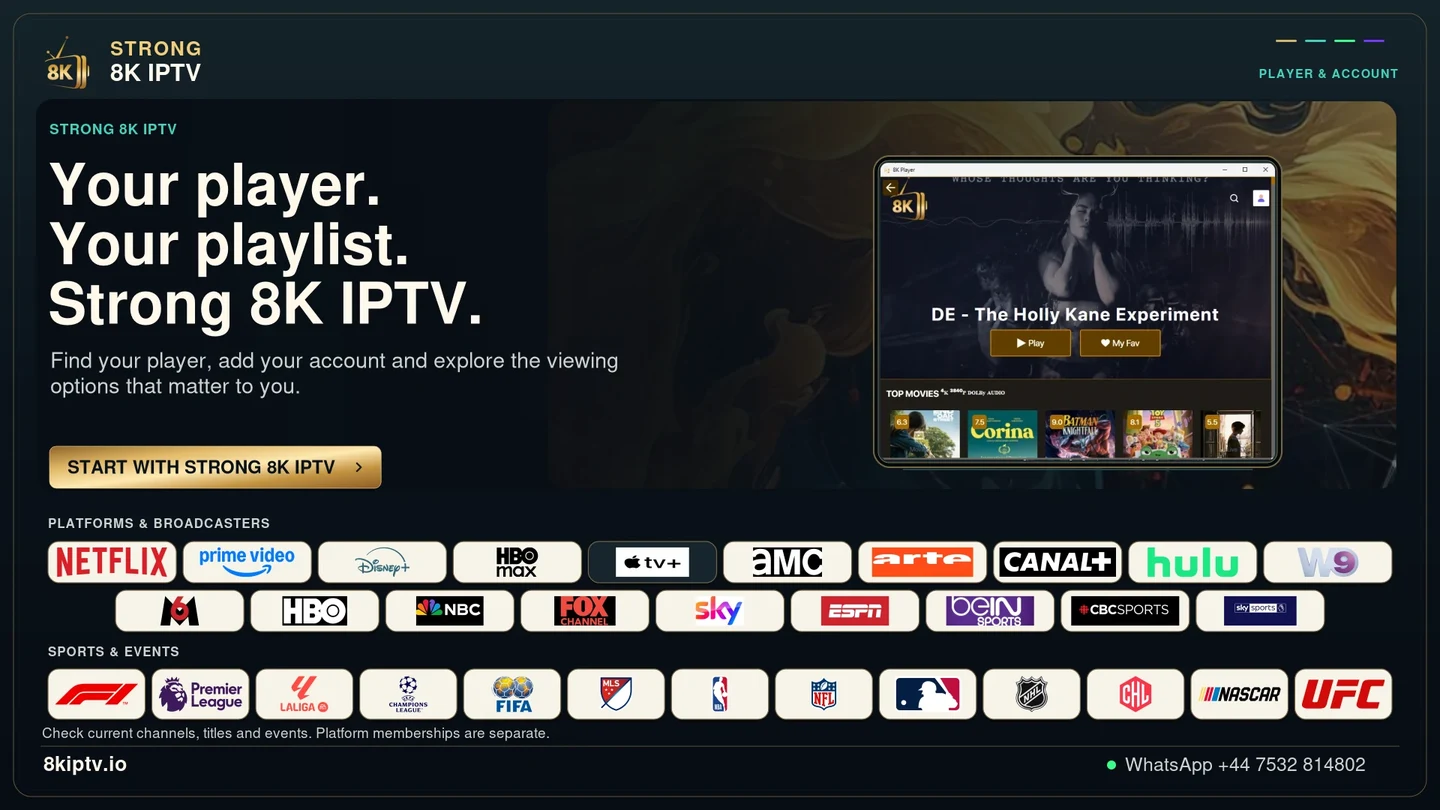
Strong's site publishes a gallery with a welcome screen, account or server selection and playlist views. Those illustrations help a buyer recognize the stage they have reached. A screenshot can show that a button existed in the pictured version. It cannot tell you which controls your issued login is entitled to use, whether an account still has time remaining or where an apparent technical label places the service. Read the visible menu literally and ask about the labels that affect your actual account.
Keep the store's identity on the receipt beside the account record. A person may have found an app recommendation on one site and purchased viewing time from another. Months later they may remember only that both used gold packaging and an “8K” name. Put the seller domain, term purchased, date paid and order reference in a private record while the order is fresh. A favorite button or channel list inside an app makes a poor substitute for a receipt when you need to establish who can extend the subscription.
There is an equally important difference between the person ordering and the person using the set. A daughter may pay for the service while a parent watches it on a television elsewhere. Tell the seller which location is the viewing location, which person can approve purchase changes and who should receive instructions. Give the viewer the day-to-day steps in plain language. Give the purchaser the billing and recovery records. A good setup gives each person the information they actually need without passing passwords around a public group.
| Strong viewing term | Listed USD amount | Equivalent per month | Difference from buying individual months at $9.99 |
|---|---|---|---|
| One month | $9.99 | $9.99 | $0.00 |
| Three months | $24.99 | $8.33 | $4.98 |
| Six months | $39.99 | $6.67 | $19.95 |
| Twelve months | $54.99 | $4.58 | $64.89 |
The third column is rounded for comparison. A shopper selecting the twelve-month offer should budget the whole $54.99 service amount and check additional charges at the selling route. The $4.58 figure does not create an instalment contract. If a preferred player requires its own paid licence, give that charge a separate line. Ask who can renew it and whether a later device change affects it. When money leaves different places on different dates, a single “TV cost per month” can conceal the bill that needs attention first.
The difference between three months and six is exactly $15 at the prices shown. The step from six to twelve is also $15. Those equal dollar steps buy different quantities of time. A six-month buyer with a settled setup and another half-year of known use can reasonably find the annual extension attractive. A family trying the service in a seasonal rental may assign little value to time beyond the rental. The best price for unused months can still be money the household would prefer to retain.
An example makes the short-term decision clearer. Someone expecting five months might compare a quarter and two single months, totaling $44.97, with the six-month price of $39.99. The longer term is $4.98 cheaper at the published rates even though its last month might go unused. But compare a household expecting only four months. A quarter plus one month comes to $34.98, now $5.01 less than six months. Both examples assume the seller will issue the desired sequence, the terms carry comparable allowances and the later rate holds.
Do not assume you can buy those terms in any order and automatically stack them. Ask whether an early renewal extends the current end date or starts on the issue date. Ask whether the same service login continues, since starting a fresh account could have practical consequences for the regular viewer. The useful decision rule for this particular store is simple enough to write beside the calendar. What dates must be covered, what will those dates cost in full, and which of the seller's permissions still needs an answer?
Strong describes a free one-day trial after the buyer installs the confirmed player. Make the timing intentional. If the living room is empty until 7 p.m., starting at 8 a.m. because the device happened to be on the desk may waste much of the useful test window. Ask when activation occurs, when the clock stops and whether the test account reflects the screen and viewing configuration you would purchase. Then arrange an evening with one or two people who use the set regularly.
Set an ordinary task for each person. The sports viewer might locate the right feed for a single scheduled program. A parent might turn captions on, go back to the guide and return to the same station. Someone else might change from the streaming box to the television's other input and come back without losing their place. These tasks are modest on purpose. The purchase is for repeated use on an ordinary evening, when nobody wants to explain an unfamiliar interface.
A trial is a poor place to try every connection in the house at once. First ask what the issued account allows. If only one active stream is approved, stop playback on the first device before moving to another supported one. Record whether the seller has a particular procedure for switching screens. The number of devices that can show an installer page in a browser says little about how many may play at a time under a particular account.
At the end of the evening write one paragraph. Include the date, device and player, what worked for the actual viewer and the question that would still stop a purchase. That might read, “We found the local evening bulletin on the living-room set. The guide time was right. We could not tell whether next month's replacement television can use the same player licence.” That last sentence gives the seller something concrete to answer. It also gives the payer a reason to choose a short term if the answer remains uncertain.
The download catalogue at 8kiptv.io has individually named guides. Some entries have different installation material from others. Read the page for the exact player and hardware, including its publisher and the route identified by the operator for your account. An app name can look almost identical on two platforms while the installation process differs. A television with its own operating system and a streaming stick plugged into that set count as two possible hosts. Determine which is intended before discussing installation.

An installer lookup code and a service credential do different jobs. The first can help a supported tool find a package. The second belongs to a particular customer account. If the app is already open and is asking for account information, repeatedly trying the short installer code in the password field will not establish the viewing account. Conversely, a paid account reference is of little use when the device has not yet installed any supported player. Describe the screen text to support and ask which type of information it expects.
A public reference can be useful even when it lacks a download button. Perhaps the supplier documented how a player looks or which platforms it targets, yet supplied no current package for the particular entry. Ask the operator for the supported route. A search result with a similar title offers no assurance that a file belongs to the named publisher or is right for this account. There is little advantage in turning an unanswered compatibility question into a new problem with an unknown application.
An existing app also deserves identification. Open its information or settings screen and record the displayed app name and version. If the television manufacturer has its own app store, note the publisher visible there. Give these facts to the seller before buying a second player. A household that has paid for a player licence may already own the appropriate client, may need a different supported app or may have a device whose original app is no longer maintained. The name on a gold-colored tile cannot decide among those possibilities.
Use the ordinary mechanism the seller and device publisher support. Ask who can help if the app fails to start before showing the account form. A seller may be able to walk through its own account selection without controlling how a particular television's store handles downloads. Equally, the device vendor can confirm where an app is installed without being able to issue a Strong service account. Keeping those responsibilities distinct gives both parties a fair chance of solving the actual issue.
Strong's published examples include labels such as Cloud and KSA, and examples using a VPN label. The information provided with those examples treats them as account or server choices in the displayed interface. A name alone does not establish physical location, a privacy feature, regional viewing authority or entitlement to a separate app. Ask which choice the operator assigned to the account. Record that exact name privately so the person helping on a later evening can reproduce the setup.
Consider a household in which one person created the account and another first opened the player. The first chose a service term. The second now sees three plausible choices on a menu. The helpful instruction is a single line from the issuer that joins the two facts, identifying the correct choice for the order. Guessing a label because it sounds near the family's location risks a failed login and a needless request for replacement credentials. Neither failure would tell you anything useful about the paid term.
If a menu has changed since the screenshot, give support the new wording and app version. Do not force the new screen to match a picture drawn from a different build. Ask whether the intended option has been renamed, moved to another page or belongs to a different supported player. Save the answer for this particular setup. A future household using another device may see a different interface. Instructions that mention the first visible prompt and the app version are usually easier to follow than instructions naming a button position.
Think about the first few seconds after a power cut. The television may come back on its broadcast input; an external stick may return to its own home screen; the player may return to its account selector. Give the household a short practice run while someone is present to help. If selecting the wrong server can bring back the welcome screen, teach the viewer how to back out safely and reach the confirmed option. They need this recovery path more than they need a tour of every feature mentioned on the vendor's website.
Instead of “do you have all U.S. channels?” ask about the actual station, market and time that matter to the household. A national brand may appear on more than one local station. A live service may offer distinct East and West versions. A viewer wanting the local 6 p.m. news has a precise need. Give the call sign or station name if known and ask whether the seller can confirm that specific version for the proposed account and viewing location.
Write the local clock time beside the program name. Then check the station's own publicly available schedule and compare it with the guide actually shown in the trial. When the wrong program is playing, note whether the guide itself is wrong or the guide is right while the stream shows a different feed. These two cases may look identical from the sofa but give support very different evidence. A screenshot of the guide with personal information cropped away and a timestamp can be enough to show the distinction.
Do the same for language and accessibility. A station logo tells you little about an alternate audio track or captions on the particular program. Have the viewer select their required option and listen or read for a while. Notice whether the choice persists after changing away and back. If the menu lists English and Spanish but both play the same track, record that specific result. It is far more useful than a general statement that the service supports languages.
Check the same issue one more time before blaming the entire service. A single program might carry no alternate audio even when another show on the same broadcaster does. The second check helps decide whom to ask. The retailer can investigate its account or guide mapping. The broadcaster can describe its schedule and the accessibility options it publishes for its own distribution. Neither a station logo in an atlas nor the ability to browse a country group independently establishes that Strong can supply a particular program in your home.
Take a blank-screen report that begins only after the guide opens. Start with the player, device, approximate time and time zone. Add whether one chosen station or several showed the problem. Mention any visible error exactly as it appeared, without pasting service URLs or private authentication details. If the television can play another permitted source through the same hardware, note that separately. These facts can orient the support person without asking the customer to dismantle a working household setup.
A different report begins before the guide opens. Here the useful information is the app version and the prompt shown after launch. Did the player reject a password, offer an unfamiliar account choice or simply exit to the device home screen? Each is a distinct observation. The seller may ask for a private order reference to locate the account. Public forum participants rarely need that reference. They can help explain why an installer code differs from a password without seeing either one.
Write down the last known working time. The exact date a customer paid may differ from when the seller activated the account and from when the household first used it. If the screen suddenly shows expired service, compare the displayed expiry with the activation and paid term on the records. A yearly receipt plus an outstanding separate player licence is a very different case from a service renewal that the issuer did not attach to the existing account.
When a change fixes the issue, record that change by itself. Suppose the owner updated the app, changed the player setting and obtained a replacement login all in one call. The service now works, but nobody knows which step mattered. If support suggests a sequence, try one reasonable permitted change, check the original symptom and record the result before proceeding. On a future call, that small record can prevent a family from repeatedly reinstalling an app when the problem was a single incorrect account selection.
Strong's published trade model uses one credit for one customer-month. On standard terms a quarter therefore uses three credits, six months uses six and a year uses twelve. The three advertised pack sizes are 120 for $222, 240 for $429.60 and 1,200 for $2,028. The unit rates are $1.85, $1.79 and $1.69. The panel price refers to the full pack. A business thinking about a single line still has to consider the cost of acquiring the whole lot.
| Whole pack | Cash paid for inventory | Standard one-month stock share | Three-month stock share | Six-month stock share | Twelve-month stock share |
|---|---|---|---|---|---|
| 120 credits | $222.00 | $1.85 | $5.55 | $11.10 | $22.20 |
| 240 credits | $429.60 | $1.79 | $5.37 | $10.74 | $21.48 |
| 1,200 credits | $2,028.00 | $1.69 | $5.07 | $10.14 | $20.28 |
The cheapest unit rate reduces the direct stock assigned to one annual line by $1.92 compared with the smallest pack. Obtaining it ties up $1,806 more cash at the outset. That is a fair trade to consider for a business that can actually place a high volume of permitted orders. It is a poor proxy for value at a desk with a single interested customer. Add staff time, customer help, payment costs and stock that has yet to be issued when evaluating a business case.
A 120-credit pack could supply ten standard annual lines or forty standard quarters, assuming the operator approves the accounts and applies the published deductions. A desk serving an equal number of each term will run through stock at a different pace. Use actual start dates and terms. Do not quietly count a saved device as a customer-month, or a customer asking about two active screens as two standard accounts. The proposed configuration may need a different operator decision.
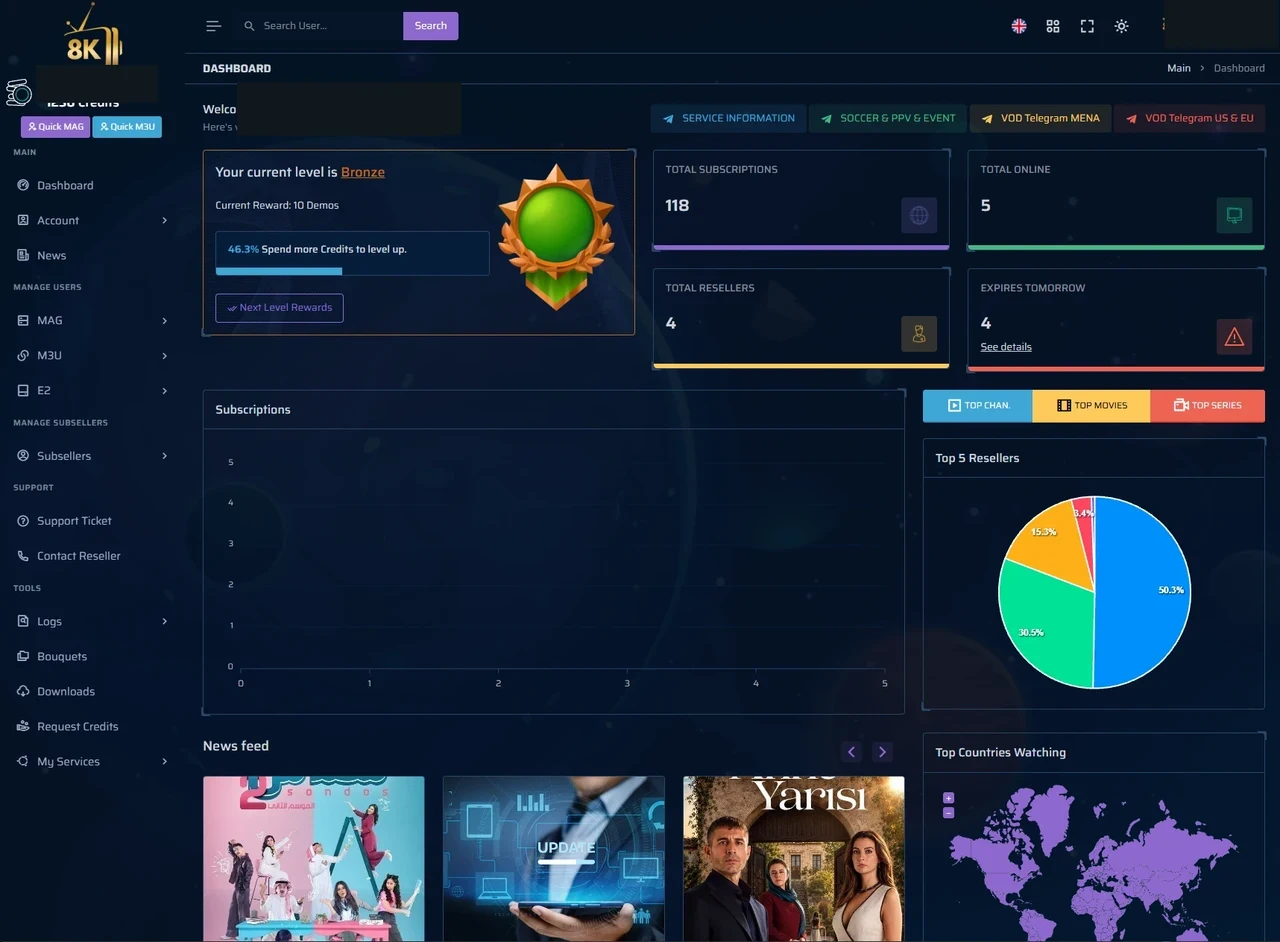
The operator's illustrated panel can help a new reseller understand where balances, customer records and renewal actions appear. It also has a limit. A balance visible in a marketing screenshot reports nothing about your own wallet. The presence of an option in a demonstration cannot authorize an action on your account. Before taking a customer's money for an unusual configuration, confirm your role, the line's deduction, permitted territory and who can resolve issues that require the operator.
Imagine an authorized installer receives eight orders. Two are annual, three are six-month and three are quarterly. The requirements come to 24 plus 18 plus 9, or 51 customer-month credits. From a 120-credit pack, those activations allocate $94.35 of inventory. The remaining 69 credits represent $127.65 of the original $222 purchase. The customer count is eight, the credit consumption is 51, and the cash spent acquiring the pack is $222. Mixing any two of these figures produces a misleading statement about how the business is doing.
Now suppose one annual customer wants to start a month later. That changes delivery timing without necessarily changing the total promised inventory. Mark twelve credits as required against a future commitment on your own planning sheet. Avoid issuing early unless the customer and operator have agreed on how the start time will be handled. A line that begins today to simplify the installer's spreadsheet may deprive the customer of weeks of viewing at the end.
Suppose instead that the delayed customer has only asked for a quote. Move their twelve credits to an unconfirmed forecast. The business now has 39 credits of confirmed work. That difference matters if the installer is deciding whether to finance a larger pack. $429.60 for Professional improves unit cost, yet on 39 actual credits it saves only $2.34 in direct stock allocation against Starter. It also leaves much more purchased stock without a confirmed start.
Ask about expiry of unused stock and what happens if the business chooses to stop trading. Keep the operator's answer on the same private record as the pack receipt. A retailer might be able to sell all of a smaller pack before deciding whether the program fits its customers. It might instead have sufficient existing orders to justify a larger lot immediately. Good forecasting has room for either answer. It makes the answer a consequence of committed demand, required cash and terms rather than a response to the label on a gold package.
Strong describes Multi-App arrangements for eligible dedicated reseller accounts with a connected domain. That is a different proposition from an ordinary household account or a general promise that every player, television or customer will work with the same login. A new business considering the option should start by naming the device models and the customer support arrangement it is prepared to provide. Ask which players are approved for its issued account, which domain requirements apply and what the operator handles after onboarding.
There is a genuine business question here. A company serving a small number of regular households may have no need to manage a domain or support several player interfaces. Consistent instructions for one confirmed app could serve those households well. A larger installer with recurring work on different smart-TV platforms could value the additional routes, if the operator approves them. The relevant comparison is staff time saved across the actual installed base versus the extra setup, administration and responsibility the arrangement brings.
Draw a simple customer journey in words before asking for that quote. Who takes the initial order? Who verifies the viewer's location and permitted use? Who identifies the player and hands over the access? Who receives expired-account enquiries and whom does the retailer contact if its own panel permissions end before the problem does? The retailer should be able to put one responsible party beside each step. “The service handles it” is not an answer a customer can use on a Sunday evening.
A connected domain also needs an owner with authority to maintain it. Decide who holds its registration, who can approve changes, how the business will recover access if an employee leaves and what happens to customers if the agreement ends. Ask the operator which of these obligations belong to the account holder and which it supplies. An attractive screenshot of seven supported player choices still leaves these operating questions unanswered. The business can make a better decision with two written pages of responsibilities than with an impressive photograph alone.
A useful test of the records is to imagine the original television being replaced tomorrow. The term might still have eight months to run. Buying another subscription would be a costly first guess. Ask the account issuer how it handles a change of device, whether the regular login transfers and how to close playback on the old screen. Separately, ask the app publisher what happens to any device-bound player licence. The two answers might be different even though both services appeared behind the same icon.
Start the replacement before the old set leaves if that is practical. Record the app name, version and ordinary route to the guide. Write down settings that belong only to the player, such as favorite groups, preferred audio and any time adjustment the household needed. Find out whether the app offers an approved migration or account sync. A favorite list may be local to the player. It may also be maintained by an account. Ask about the actual app before promising the viewer that everything will reappear as it was.
At the new set, check its platform rather than assuming a newer television from the same manufacturer runs the old app in exactly the same way. If a working external box supplied the actual player on the old set, the simplest plan might be to keep that box and move it to the new HDMI input. Confirm that the household still has its remote, power supply and any necessary adapter. A surprising number of replacements become complicated because the television being donated leaves with the one remote that operated the external player.
One household may also move from an all-in-one TV app to an external box because an app has disappeared from the local app store. Bring the exact model to Strong's support before buying new hardware. Ask for the supported current player route on that proposed box. Then ask whether an extra player charge applies to the new arrangement and whether the paid service term continues through the switch. These are practical questions the family can use to compare keeping an existing set with buying a different one. A general statement that a retailer supports smart TVs would leave the family's decision unresolved.
Finally, clear the household account from a device being sold or handed to someone else through the ordinary sign-out or reset procedure for that device. Have the rightful account holder keep any recovery information. The new owner may be entitled to the television while having no right to the previous family's viewing account. Retire the old device entry if the operator or player provides a supported way to do that. On the private record mark the day the new set took over and identify its active configuration. Months later, the renewal reminder will point to the television the family actually owns.
A family planning to host a relative might be tempted to extend an account early simply to take renewal off the list. Check the current expiry first. Suppose a six-month term still has eighteen days left and the buyer wants another quarter at $24.99. If the issuer extends the same line from the existing expiry, those eighteen days remain useful. If a fresh order activates separately today, the household could end up with overlapping periods. The same advertised price would then buy a different amount of useful time. Ask the operator what its order route does for this account.
Make the request easy to answer privately. Supply the existing order reference, the displayed expiry, the term you want and the day on which the replacement or extension should begin. Explain whether the viewer must keep the same account configuration. A reply confirming only the amount due still leaves the timing unresolved. Save a reply that joins amount, account and start date. Then compare the newly displayed expiry after the renewal with what the operator confirmed.
The guest may also introduce a second simultaneous viewer for the first time. Buying a longer term does not settle that separate condition. Find out whether the existing account permits the two screens the household has in mind and what the seller would charge for the appropriate arrangement. If the visit lasts a weekend, the buyer may prefer to use one confirmed screen and avoid changing the long-term account altogether. A clear, modest arrangement that fits the weekend can be worth more to the family than an upgrade it will never need again.
Write one strip of instructions for the viewer. Include the TV input or app name, the route to the preferred guide group and the step that returns the set to its familiar home screen. Add the provider domain and the appropriate support role if help is needed. Keep private login details, account recovery and payment evidence in a different record held by the authorized purchaser. The point is to let the viewer operate an ordinary evening independently, not to turn a handwritten note near the set into an account file.
Give the payer a separate one-page record. It should identify the term and full amount accepted, payment date, activation date, displayed expiry, any separate player licence, approved active-screen allowance and where a future renewal is made. If the seller has agreed a special condition, quote just enough of the dated private reply to identify it, then keep the full correspondence privately. The payer's annual reminder can link back to this record. There should be no need to reconstruct the original order from the name of an app.
| Household or reseller decision | Private entry to complete |
|---|---|
| Exact seller and support role | Strong 8K IPTV on 8kiptv.io |
| Chosen term or credit pack and full amount | |
| Tested player, version, device and main viewing hour | |
| Account option confirmed by the issuer | |
| Required feed and trial result | |
| Written answer on active screens and device change | |
| Activation and expected expiry | |
| Trade customers, authorized scope and projected customer-months | |
| Buyer or operator signature and date |
If the trial passed, the receipt lines up and the person watching can use the remote, a longer term may be an entirely sensible purchase. If just one important item remains open, ask the narrow question beside it. A yearly price is a known quantity on this schedule. The value of a year depends on whether the issued account does the job, at the intended address, on the television the family already owns.
Suppose you expect to watch for six months. At the listed single-month amount, six separate purchases would total $59.94 USD. The six-month offer asks for $39.99 USD up front. That comparison assumes every new month is available at the listed amount. Check renewal separately before relying on it.
| Viewing period | Separate monthly purchases | Single matching term | Difference | Monthly purchases to reach term price |
|---|---|---|---|---|
| 3 months | $29.97 USD | $24.99 USD | $4.98 USD | 3 |
| 6 months | $59.94 USD | $39.99 USD | $19.95 USD | 5 |
| 12 months | $119.88 USD | $54.99 USD | $64.89 USD | 6 |
Read the final column as a spending threshold. If you expect to cancel sooner, compare the shorter commitment with the cash you would have paid up front. The figures exclude fees the seller has not confirmed.
Check Strong 8K IPTV subscription termsThe smallest priced pack in this register holds 120 credits and costs $222.00 USD. The largest holds 1200 for $2,028.00 USD. Their displayed unit costs are $1.85 and $1.69 respectively. The published deduction for a standard twelve-month customer is 12 credits. Check the operator’s treatment of additional screens and renewals.
The image link identifies the exact file served by the provider.
Choose a matchup to see the actual currency, term and outcome.
Open the caption on a website-sourced image to see its original. The remaining captions identify material supplied with the provider archive.