provider
MegaOTT.app
Use the exact .app domain to verify credit deductions and the current panel login arrangement.
megaott.app · Check exact market
Open the official MegaOTT.app websiteThe 1 month plan is listed at $6.99 USD. The operator also lists 3 reseller pack sizes.

megaott.app
The 1 month plan is listed at $6.99 USD. The operator also lists 3 reseller pack sizes.
The 1 month plan is listed at $6.99 USD. The operator also lists 3 reseller pack sizes.
Use the exact .app domain to verify credit deductions and the current panel login arrangement.
megaott.app · Check exact market
Open the official MegaOTT.app websiteMegaOTT.app maintains the site at megaott.app. Check who issues the invoice and who replaces the access if the app or TV changes. The buyer needs both answers before paying for a long term.
Document review · November 19, 2026. Playback performance, service rights and ZIP-level access require separate evidence.
The 1 month plan is listed at $6.99 USD. The operator also lists 3 reseller pack sizes.


megaott.app
MegaOTT.app is the listing examined here. Its household price page is at megaott.app/pricing and its reseller schedule is at megaott.app/reseller. Another listing in this store uses megaott.io. Both can appear when someone searches for the same spoken name. Similar figures, a similar logo and a familiar contact name are poor substitutes for the exact address on an order. If you are renewing, begin with the domain and order reference on the original receipt. If you are buying for the first time, keep the address beside the terms you read.
There is a good reason to examine this particular listing closely. Its reseller credit is fractional. One credit on the published schedule covers an annual activation, and smaller terms take 0.1, 0.3 or 0.5 credit. Anyone who runs the same spreadsheet for several operators could easily book twelve credits for this seller's yearly account. That would make the apparent cost twelve times the published allocation. A busy family buying a viewing term can make a related mistake by treating a cheap one-month wholesale allocation as the retail price available at checkout.
For the household, the dated USD totals are $6.99 for a month, $16.99 for a quarter, $29.99 for six months and $44.99 for a year. These are the displayed totals recorded on November 19, 2026. For the business, the smallest listed pack is 25 credits for $199.75. A buyer should know which of those two figures describes the money they are about to send. This feature follows the money, the app and the account far enough to make that distinction useful to both kinds of reader.
Imagine someone receives a message saying that “MegaOTT” is ready to renew. Before paying, open the original confirmation and look for the domain, product, term, amount and current expiry. If the request points to a different domain, ask the party on the original order to identify the change using its published contact route. Domain similarity alone cannot establish that a balance, app licence or account can move between operators. The same principle applies even if prices on the two pages happen to match on the day.
An identity check need not turn into an investigation. A family wants to know whom to contact if the account fails to activate. Write down the seller responsible for the viewing account, the developer responsible for the player and the name that should appear on the receipt. If one party is collecting payment on behalf of another, ask for the connection in writing before sending money. A person handling a renewal months later should be able to follow this short record without relying on a remembered avatar or chat nickname.
For a reseller the distinction reaches the ledger. Label the stock by operator domain and reseller account. A 25-credit MegaOTT.app block belongs in the account the provider actually credited. Never add it to an unrelated total because a colleague calls both accounts “Mega.” Two separate ledgers can use the same numerical credit schedule and still represent two nontransferable balances. When an order comes from the wrong branch of the business, put it back in the correct queue before telling a customer that stock is available.
A practical naming convention can be as plain as “MegaOTT.app, household” and “MegaOTT.app, credit stock.” Keep the domain and product together when saving screenshots or quotes. The goal is to let a person with no prior knowledge identify the right seller in a hurry. That record is especially valuable if the household changes the app it uses but keeps the viewing service.
MegaOTT.app's price page describes its listed USD amounts as already discounted. The customer shopping today should use the displayed $6.99, $16.99, $29.99 or $44.99. Applying the advertised percentage to the displayed figure a second time invents a lower amount that the seller did not offer. Reconstructing a supposed old price adds little to the decision. Ask what the checkout will charge for the selected term and what any later renewal will cost.
| Term | Amount due as listed | Cost if bought as separate $6.99 months | Difference at the recorded prices |
|---|---|---|---|
| One month | $6.99 | $6.99 | $0 |
| Three months | $16.99 | $20.97 | $3.98 |
| Six months | $29.99 | $41.94 | $11.95 |
| Twelve months | $44.99 | $83.88 | $38.89 |
That comparison assumes all monthly purchases would remain available at the same listed total. It does not mean a new customer saves $38.89 by spending $44.99 on a service they might abandon after one month. For that customer, the immediate comparison is $44.99 against $6.99 and the opportunity to stop. For someone with a year's proven use and no expected change of device or address, the comparison to twelve month-by-month payments is much more relevant.
A six-month stay makes the distinction concrete. One six-month term costs $29.99. Buying the full year costs $15 more, so the second half-year is effectively $2.50 per extra month only if it is used. Someone whose work contract might extend should write down when that decision is likely to be made. If the extension will be confirmed in a few days, waiting for the answer may be more economical than buying extra time on a guess. Subscription arithmetic gets clearer when attached to an actual household calendar.
The MegaOTT.app guide for Samsung and LG televisions is useful because the two names refer to different television platforms. A family that owns a Samsung in the front room and an LG in the den should not expect a single app listing, publisher arrangement or remote sequence to apply to both. Start with the television that matters most. Record its full model, the region set in its store and the exact app the seller recommends for the proposed account.
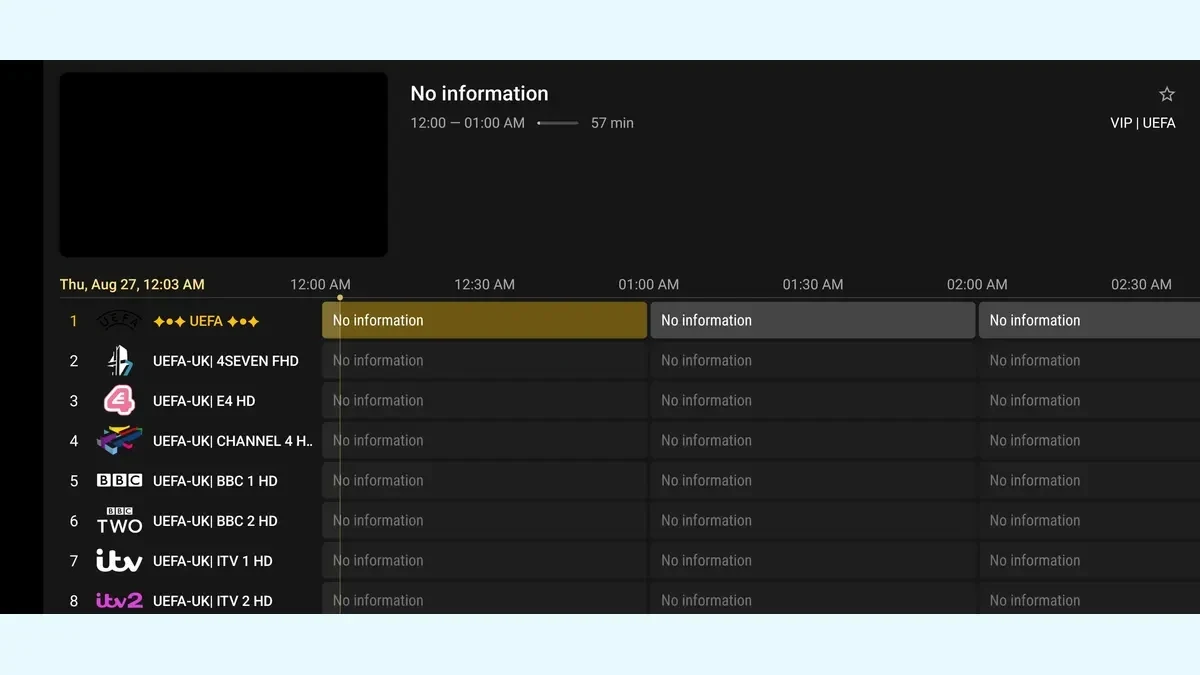
Open that television's app store and inspect the listing before activating the advertised one-day trial. Check the publisher, whether the app has its own fee and which account entry method it accepts. If a player offers an introductory period of its own, record its expiry separately from the MegaOTT viewing trial. An app licence can end on a different day from a subscription. A household that confuses the two may pay the viewing provider again when the actual action belongs to the app developer.
Use the remote to test the tasks people actually perform. Can the viewer tell which menu contains favorites? Can they return from a full-screen programme to the guide with one familiar button? Can they enter text or choose the right audio language from their normal seat? If two household members disagree about the best app, let both attempt the same task. The player that needs the least explanation can be a sound choice even if another app looks more elaborate in a screenshot.
If a model cannot install the suggested player, ask for the exact alternative before buying new hardware. Describe the existing television and the set's normal inputs. A supported external device may solve the problem, but its extra cost belongs in the purchase comparison. A $44.99 year that requires buying an additional box and a paid app has a different first-year price from a $44.99 year on a television with a suitable player already installed.
On the first evening, pick a known programme and a guide entry that can be checked against the broadcaster's own schedule. Mark the time in the household's local zone. Have the regular viewer reach the programme using the remote without the person who installed the app talking them through each step. A display filled with channel names can be impressive to an installer and bewildering to someone who wants precisely one familiar bulletin. Locating that bulletin twice is a meaningful success.
Try a specific audio or caption requirement on a programme the viewer actually watches. A menu listing several languages only identifies the available controls. Select the relevant track and hear or read the result. If the requirement involves captions that remain on after changing channels, check that behavior as a separate step. It might depend on the player, the programme or the way the television handles track settings. Record what happens on this setup without promising every programme will behave identically.
On the next use, exit normally, reopen the app and see whether the household can recover its familiar path. A trial that spans two ordinary sessions reveals whether favorites survive, whether login details have been stored appropriately and whether the guide opens in the right time zone. Do not restart the whole home network simply to make the test feel thorough. A reset that the family never performs in ordinary use can hide the actual pattern the test was supposed to reproduce.
If the seller cannot provide the requested trial in the household's market or time window, record that as unavailable for this purchase. A positive description elsewhere on the site cannot activate an account. The family can wait, choose a shorter term with a consciously accepted risk or compare another provider. Keeping the choice open is more useful than treating an advertisement as a completed test.
The MegaOTT.app reseller chart treats one year as a whole credit. One month takes a tenth, three months take three tenths, six months take half and twelve take one. The six-month charge is the interesting one. Six separate one-month activations would use 0.6 credit at the stated schedule, while a six-month activation uses 0.5. Do not apply a homemade rule of one tenth per month across all terms. Get the operator's debit for the actual term before promising a business customer a price.

| Customer term | Published deduction | Cost allocated from 25 at $7.99 per credit | From 50 at $7.50 | From 100 at $6.99 |
|---|---|---|---|---|
| One month | 0.1 | $0.80 | $0.75 | $0.70 |
| Three months | 0.3 | $2.40 | $2.25 | $2.10 |
| Six months | 0.5 | $4.00 | $3.75 | $3.50 |
| Twelve months | 1.0 | $7.99 | $7.50 | $6.99 |
Money in the table is rounded to cents after applying the deduction. For the 25-credit pack, the exact six-month allocation is $3.995 before rounding for display. Two six-month activations together consume one credit and allocate $7.99 using the exact pack rate. Adding two rounded $4.00 display amounts yields $8.00. That penny comes from when rounding occurred, not from a missing credit in the panel. Keep debits in tenths in the stock ledger and calculate monetary summaries from the underlying figures.
Ten one-month activations, two six-month activations and one annual activation each consume one credit in total. Each group has a profoundly different service burden. Ten monthly customers can create ten intake conversations, ten device setups and ten near-term renewal decisions. One annual customer may require more detailed troubleshooting but only one initial intake. If a business bases its selling price solely on the credit consumed, it ignores the human time that determines whether the panel operation is sustainable.
A reseller who dislikes decimals can store a whole number representing tenths of a credit. A starter pack becomes 250 tenths. A monthly customer uses one, a quarterly customer three, a six-month customer five and an annual customer ten. Use the precise unit name in the column heading. A screen that says 250 with no unit looks alarmingly like 250 annual credits. When displaying the actual provider balance, divide tenths by ten. This is a bookkeeping convention, not a claim that the operator's dashboard uses the same representation.
Start with a 25-credit pack. Suppose the desk activates four annual accounts, seven six-month accounts, nine three-month accounts and eleven one-month accounts. In credit units the calculation is 4 plus 3.5 plus 2.7 plus 1.1, or 11.3 credits. The remaining balance is 13.7. In tenths the same line reads 250 minus 40 minus 35 minus 27 minus 11 equals 137. A second employee can audit the integer version without mistaking 0.1 for one whole credit.
At $7.99 per credit the stock allocated to those activations is $90.287, displayed as $90.29 at the combined level. The remaining stock allocation on the same purchase is $109.463, displayed as $109.46. Together the rounded combined values give the $199.75 original pack. Individual customer lines rounded first can produce a small difference. Track the panel in credits and cash purchases in dollars. Reconcile the two through the exact rate of the corresponding pack instead of forcing every printed line to add up by changing a customer's term.
A ledger should also record whether a transaction was a new activation, a renewal or an adjustment. An operator investigating why 0.5 credit disappeared needs to identify the specific six-month action or written adjustment. A customer name alone is weak evidence if that customer has held several terms. Use a private internal reference and dated action, with the expected balance before and after. Keep access credentials out of shared accounting notes.
The listed pack choices are 25 credits for $199.75, 50 for $375 and 100 for $699. A reseller with 13.7 credits remaining may have more capacity than it first appears. Eight annual renewals use eight. Four six-month renewals use two. Six quarterly renewals use 1.8. Seven monthly renewals use 0.7. Together they are 12.5 credits, leaving 1.2. If every order is confirmed and comes due in that sequence, the desk can handle them without buying another pack at present.

That remaining 1.2 can fund one annual plus two monthly terms, or four quarters, or two semiannuals and two monthly terms. The combinations have different support and renewal implications. If a clerk sees six households in the queue and assumes “six credits,” the forecast may be far too high or too low. Ask for the term on each actual order. Keep expressions of interest out of the committed total until the buyer has chosen and the operator can deliver.
Consider the next larger purchase. Two 25-credit packs total $399.50 and supply exactly 50. A single 50-credit pack gives the same stock for $375, saving $24.50 at the recorded rates. Paying for two separate blocks may preserve cash if only the first is needed immediately. Two 50-credit blocks cost $750, compared with $699 for a single 100-credit pack. The $51 difference is worth measuring against the time that would pass before the second purchase and the risk of tying money up in unused stock.
Ask specifically about credit expiry, transfer, reseller authority, treatment of cancellations and the timing of top-ups. The provider's published refund information advises that unused and already allocated stock may be treated differently. A balance in the panel is useful only under its governing conditions. An operator unsure whether it may run a given sales activity should request written authority for that activity before using forecast demand to justify a larger block.
A customer's message might simply say “wrong period.” Begin by locating the original term, the resulting expiry and the expected deduction. If a six-month order caused a charge of 0.5 and the account shows the correct end date, the problem may be a misunderstanding of how the term is displayed. Read the exact dates back privately and confirm what the customer sees. Changing an account that is already correct can create a new discrepancy in both stock and service.
A second possibility is that the order requested a quarter but a monthly activation was selected. The expected deduction was 0.3, the observed one 0.1. Do not assume that clicking another term will append the remaining time correctly or charge only the difference. Ask the operator how it handles a mistaken selection and how to preserve the customer's entitlement. Record the approved correction separately from the initial error. The ledger should tell the true sequence of events even when the final expiry becomes correct.
A third possibility is that a renewal request timed out and the operator cannot tell whether it went through. Check the existing account's expiry, transaction history and current balance before retrying. A decrease of 1.0 alongside a new annual expiry can be strong evidence that the first request succeeded. A balance change alone still needs a matching customer action if other staff were using the panel. Use a shared order reference so another employee can see that the case is under investigation.
In each case the customer deserves one owner for the follow-up. Tell them whether their existing account will continue, what information the operator has requested and when you will next check. Avoid passing raw panel screenshots around when a clear note with the appropriate order reference will do. The customer needs access for the correct dates; the reseller needs a traceable adjustment. Solving both is easier when the desk resists correcting a number simply because it looks unfamiliar.
The annual MegaOTT.app retail listing is $44.99. An annual activation allocated from the starter stock costs $7.99 in credit. Someone subtracting the two sees $37.00 and may call it profit. That difference is only a spread between a published retail reference and a credit allocation under one pack. It does not establish that the reseller is authorized to sell on those terms, will actually collect $44.99, can meet its service commitments or has accounted for any other expense.
Build a more honest order worksheet. Record what the customer actually agreed to pay, what was collected, what the payment route charged, how much stock was consumed and what direct support work the order required. Add any separate equipment or app sale on its own line with its responsible party. An unresolved refund should be tracked as an open case rather than silently treated as either a guaranteed payment or an automatic loss. Use the business's actual authorized terms and applicable advice for its accounting treatment.
A ten-minute monthly intake and a complicated two-device setup consume the same 0.1 credit if both are valid one-month customer terms. They need not cost the business the same amount to deliver. Before expanding, sample the actual time spent answering installation questions and reconciling renewals. A desk that lacks capacity can spend its entire nominal credit advantage handling preventable support calls. A clear intake form and a documented handover can do more for the business than moving up one pack tier prematurely.
Conversely, a household should not use the wholesale allocation to challenge a retail bill as though the two products were identical. The family purchased a supported viewing term from a seller under an agreed price. The reseller purchased a block of stock and took on work and risk. If the household's receipt differs from the listed offer, compare the actual consumer quote, fees and term. A wholesale table is irrelevant to correcting a wrongly entered retail payment.
Imagine a buyer on an LG set says a promised local bulletin is absent. First identify the named feed, viewing market and terms recorded before purchase. Compare the guide entry with the broadcaster's schedule and check whether another feed was selected unintentionally. If the seller confirmed a specific feed in writing, send the relevant order reference and observation through its account support route. The issue concerns content availability or labeling on the proposed service. Installing an unrelated player at random will not establish the missing entitlement.
Now imagine the content plays but the LG player asks for a separate licence after a short evaluation. Find the app publisher and purchase terms shown on that television. The viewing term and app evaluation can expire at different times. If the app was an optional product purchased independently, the player developer may handle licence recovery. If the seller expressly bundled an app licence, the seller's own written order record can show how to activate it. Knowing which purchase was made prevents paying the wrong business a second time.
A third type of complaint concerns network or player behavior. One station freezes at a particular time, several unrelated apps show a delay, or the device loses its connection before any account data loads. Keep the symptoms distinct. Test the simplest comparison available on the same equipment and tell support what changed. The MegaOTT.app refund material describes a review process and asks for supporting details. The directory cannot determine a particular buyer's eligibility or guarantee a refund outcome in advance.
When discussing a purchase publicly, give enough information to help another viewer understand the problem while keeping account and payment details private. “The television app's evaluation ended while the separate six-month service still showed time remaining” is useful. Posting a screenshot of the entire receipt with names and account identifiers adds risk without explaining the distinction any better.
One way to cover seven months at the recorded MegaOTT.app retail prices is the six-month term followed by a month, $29.99 plus $6.99 for a total of $36.98. Another is two quarters and a month, $16.99 twice plus $6.99 for a total of $40.97. A third is the annual term at $44.99 with five months remaining when the seven-month stay ends. Ask whether the seller permits the sequential renewals and what happens to days left at each change. The examples compare listed totals and do not fix future prices.
The difference between the first two routes is $3.99. The more expensive combination buys two earlier decision points. A household awaiting a building move might know by month three whether it will keep this setup. If so, the ability to decide at the quarter could be worth $3.99 to that household. If seven months are certain and all terms can be renewed as expected, the six-plus-one combination has the lower listed spend. The annual price adds $8.01 over that combination. Call it an option to continue for five more months rather than advertising all twelve as savings.
The corresponding wholesale stock pattern is interesting. A six plus a month consumes 0.6 credit. Two quarters plus a month consumes 0.7. A year consumes 1.0. The differing units reinforce why the customer term matters to both sides, though the reseller still sets its authorized retail offering independently. Someone with a 0.6 remaining stock balance could fund the first combination if the account permits the sequence, yet would fall short of the second and third. The customer cannot infer which arrangement has actually been ordered by looking at a broad “seven months” note. Put the selected terms in writing.
In a two-television household, the person who handles purchases may be most comfortable on the Samsung while the person who relies on captions regularly uses the LG. A trial on the Samsung alone will leave out the decision that matters most. Choose an available programme known to carry the required captions, then let the regular viewer enable them with the LG remote. Observe the size, contrast and position of the words from the normal seat. An app can successfully select a caption track and still present it in a form that is difficult for this viewer.
Try moving to another programme and returning. Does the caption selection persist, or does the viewer have to open a deeply nested menu each time? If the television offers its own appearance settings, change just one and check the visible result. Record whether the player or the television responded. These distinctions help the seller recommend a different supported player when appropriate and help the household decide whether another software purchase is worthwhile.
A family that finds one platform works better can move its viewing routine without automatically adding simultaneous sessions. Explain the plan to the seller. Perhaps the den is used only after the living-room player has been closed. Perhaps two people genuinely need different programmes at the same time. The billing impact depends on the allowed account arrangement. Request the quoted total for the setup that the family will actually use. The posted price for one standard term cannot price a second stream whose allowance has not been confirmed.
A paid player variant must earn its place on the same evidence. Check whether the paid feature actually changes the caption issue on this model, whether the trial can test it and who will help recover the purchase if the set is replaced. Paying twice to discover that the selected feed never carried that language is an avoidable result.
Picture a desk that opens with 3.4 credits and activates one six-month line. The expected balance becomes 2.9. The customer then reports that the order should have been for a quarter. At that point the desk still has 2.9, regardless of what a correction might eventually allow. Do not start spending a presumed 0.2 difference while asking the operator to review the terms. The buyer's intention and the confirmed supplier action are different records.
If the operator authorizes a full reversal, the balance could return to 3.4 before the corrected quarterly transaction uses 0.3 and leaves 3.1. If it instead handles the matter by a different adjustment, record the actual timestamps and amounts shown. The example describes the arithmetic of a possible sequence, not a provider promise that reversals are available. MegaOTT.app asks resellers to confirm the treatment of allocated credits. Keep the reply governing this case with its references rather than turning it into a universal rule for every future order.
A clean ledger shows the original transaction and the later correction. Erasing the first entry may leave the final arithmetic right while making the customer's account impossible to explain. A colleague looking at a temporarily wrong expiry needs to know the order in which things happened. Give the customer a simple private summary when the case ends. State the agreed term, the corrected end date and whether any further action is required. There is no need for the customer to see other people's balances or the desk's wholesale records.
A family can receive a perfectly ordinary receipt and still be unsure whether the right account is on the screen. Compare the seller name and term on the receipt with the start and end visible in the player's account area if that information is available. If the player shows only its own licence expiry, label it as such and ask MegaOTT.app where to check the viewing term. A date shown in software belongs to whatever component produced it. Treating every date as subscription expiry can lead to a renewal request weeks early.
Consider someone switching to a new television during a quarterly term. The old set's player shows an app licence bought long ago. The new set's store offers the same-looking app for a fee, while the MegaOTT viewing order still has two months remaining. Before buying another viewing term, locate the app purchase terms and the provider's supported device-transfer procedure. Verify which product needs action. It may be necessary to purchase a new player licence, or the publisher may provide a supported way to restore an existing one. Either outcome leaves a clear question about the viewing term itself.
Once the new television plays the intended source, ask a second household member to find the purchase record and identify the next renewal date. This quick rehearsal reveals whether the handover is complete. A note that says “service paid through March; ask the app publisher about the separate LG licence” gives the next person a practical answer even if the person who set it up is away. A folder containing five unlabeled pictures of an app menu does not.
A reseller who collects an annual payment today may feel that the work is finished once the single credit has been deducted. The customer has bought a year of the agreed service. A support request next month, a change of equipment in spring or an expiry question near renewal still belongs somewhere. Decide who will respond and which contact route remains available. The right size of stock purchase depends partly on the ability to support existing customers while onboarding new ones.
Keep a calendar of expiry dates beside the credit balance. For month-to-month customers, the same smaller group can generate repeated decisions across the year. For annual customers, several renewals might fall on the same week because a promotion or installation project attracted them together. The balance required that week can be quite different from the average monthly use. Forecast the peak week using actual terms and customer confirmations. A grand total for the quarter hides the day when available stock might run short.
Support changes also need a clean handover. If a reseller stops serving a region or changes staff, customers need a responsible contact, documented account ownership and an accurate account expiry. Ask the operator in advance what transfer or continuation arrangements it permits. The public pack prices do not establish that stock or accounts can be transferred to a different business. Avoid advertising continuity that depends on a permission the operator has yet to grant.
A household encountering a different contact at renewal can use the same principle from the other side. Return to the domain and order record from the initial purchase. Ask how the new arrangement relates to the account already holding time. Do not surrender a working setup or pay an unrelated contact solely because someone recognizes the same brand name. A careful buyer can protect both the current term and the option to renew when the responsible party is clear.
A family member comparing offers can also write down the exact checkout path before leaving the browser. At renewal, the full address, merchant from the original receipt and existing expiry should agree with the purchase history. If two addresses both seem plausible, pause the new payment long enough to establish which account it would extend. For a reseller, perform the equivalent check on the panel and pack invoice before counting a top-up. A single word in a brand name is a poor index for a year's worth of account records. The domain and the transaction identify which decision you are actually making.
MegaOTT.app consumer prices · MegaOTT.app pack prices and activation schedule · Operator's mixed-credit calculator guide · Samsung and LG setup guidance · Account and player questions · Reseller and household refund information.
Suppose you expect to watch for six months. At the listed single-month amount, six separate purchases would total $41.94 USD. The six-month offer asks for $29.99 USD up front. That comparison assumes every new month is available at the listed amount. Check renewal separately before relying on it.
| Viewing period | Separate monthly purchases | Single matching term | Difference | Monthly purchases to reach term price |
|---|---|---|---|---|
| 3 months | $20.97 USD | $16.99 USD | $3.98 USD | 3 |
| 6 months | $41.94 USD | $29.99 USD | $11.95 USD | 5 |
| 12 months | $83.88 USD | $44.99 USD | $38.89 USD | 7 |
Read the final column as a spending threshold. If you expect to cancel sooner, compare the shorter commitment with the cash you would have paid up front. The figures exclude fees the seller has not confirmed.
Check MegaOTT.app subscription termsThe smallest priced pack in this register holds 25 credits and costs $199.75 USD. The largest holds 100 for $699.00 USD. Their displayed unit costs are $7.99 and $6.99 respectively. The published deduction for a standard twelve-month customer is 1 credits. Check the operator’s treatment of additional screens and renewals.
The image link identifies the exact file served by the provider.

Choose a matchup to see the actual currency, term and outcome.
Open the caption on a website-sourced image to see its original. The remaining captions identify material supplied with the provider archive.