provider
Ultra 8K OTT
Check the current pricing and reseller routes for the selected term rather than an old sitemap quote.
ultra8kiptv.app · Check exact market
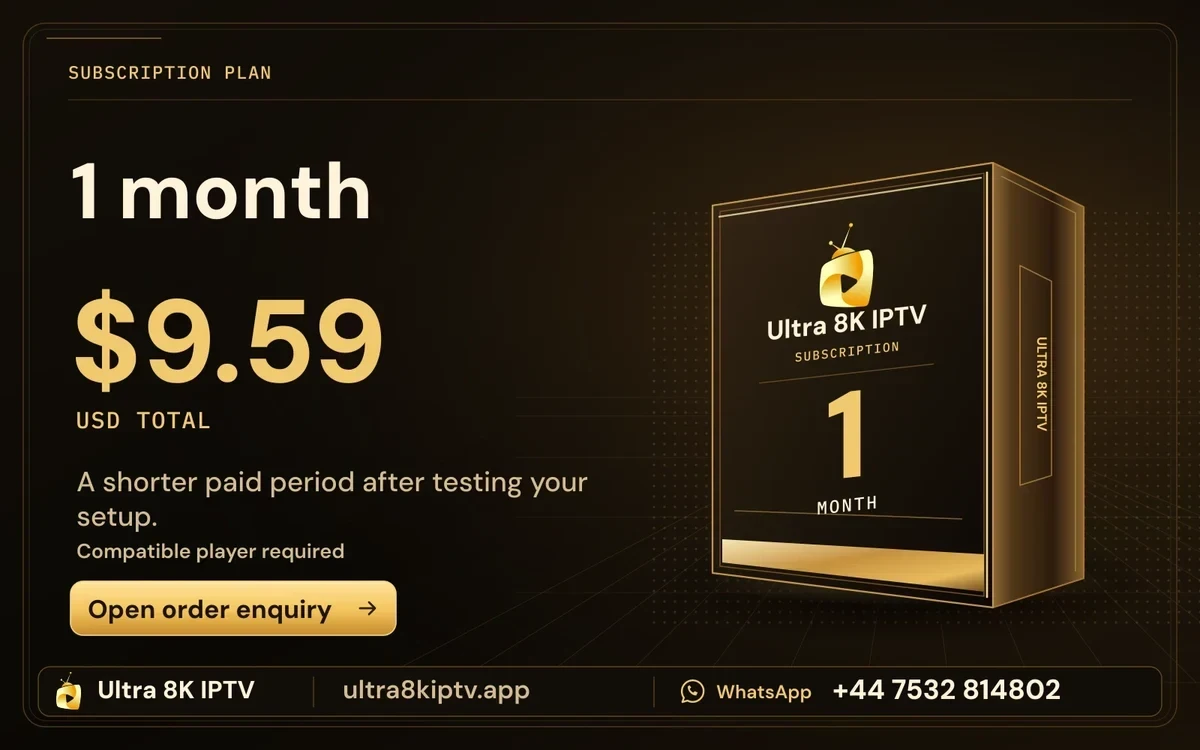
Open the official Ultra 8K OTT websiteThe 1 month plan is listed at $9.59 USD. The operator also lists 4 reseller pack sizes.

ultra8kiptv.app
The 1 month plan is listed at $9.59 USD. The operator also lists 4 reseller pack sizes.
The 1 month plan is listed at $9.59 USD. The operator also lists 4 reseller pack sizes.
Check the current pricing and reseller routes for the selected term rather than an old sitemap quote.
ultra8kiptv.app · Check exact market
Open the official Ultra 8K OTT websiteUltra 8K OTT maintains the site at ultra8kiptv.app. Check who issues the invoice and who replaces the access if the app or TV changes. The buyer needs both answers before paying for a long term.
Document review · November 19, 2026. Playback performance, service rights and ZIP-level access require separate evidence.
The 1 month plan is listed at $9.59 USD. The operator also lists 4 reseller pack sizes.


ultra8kiptv.app
Someone who says “I have Ultra 8K on the television” could be describing several different things. The provider calls the service Ultra 8K OTT, publishes a branded Ultra 8K OTT Player, shows a second interface called XC 8K OTT Player, and has a separate route for XOTT Player. Then there is the reseller panel, whose sign-in artwork also carries the brand. The same name on different screens can leave two people talking past each other while both accurately describe what they see.
Start by identifying the screen in front of the viewer. A prospective subscriber might be on the website considering a six-month term. A television might show the player home screen with categories but have no active viewing account. An operator might be staring at a panel asking for reseller credentials. Ask which device is in use, what the heading says and which action the person intended to take. The next step becomes much clearer once those three facts line up.
This provider is a particularly good candidate for a commissioning check. By commissioning, we mean setting up one television or other device and following a real viewing job from the remote to the programme. A screenshot on the seller’s site can help identify the right player and suitable questions. Your own check establishes whether the selected combination of device, player, viewing account and location can do what your household needs. Neither the account price nor the word 8K answers that on its own.
The commercial numbers in this review are the published U.S. dollar amounts checked on November 19, 2026. Ultra’s pricing page tells buyers to confirm the account connection allowance and activation arrangements with support. That is a substantive open item for a home that expects to use more than one screen. A reseller has a separate set of published numbers tied to a standard customer connection. Keep the two sources beside their respective decisions.
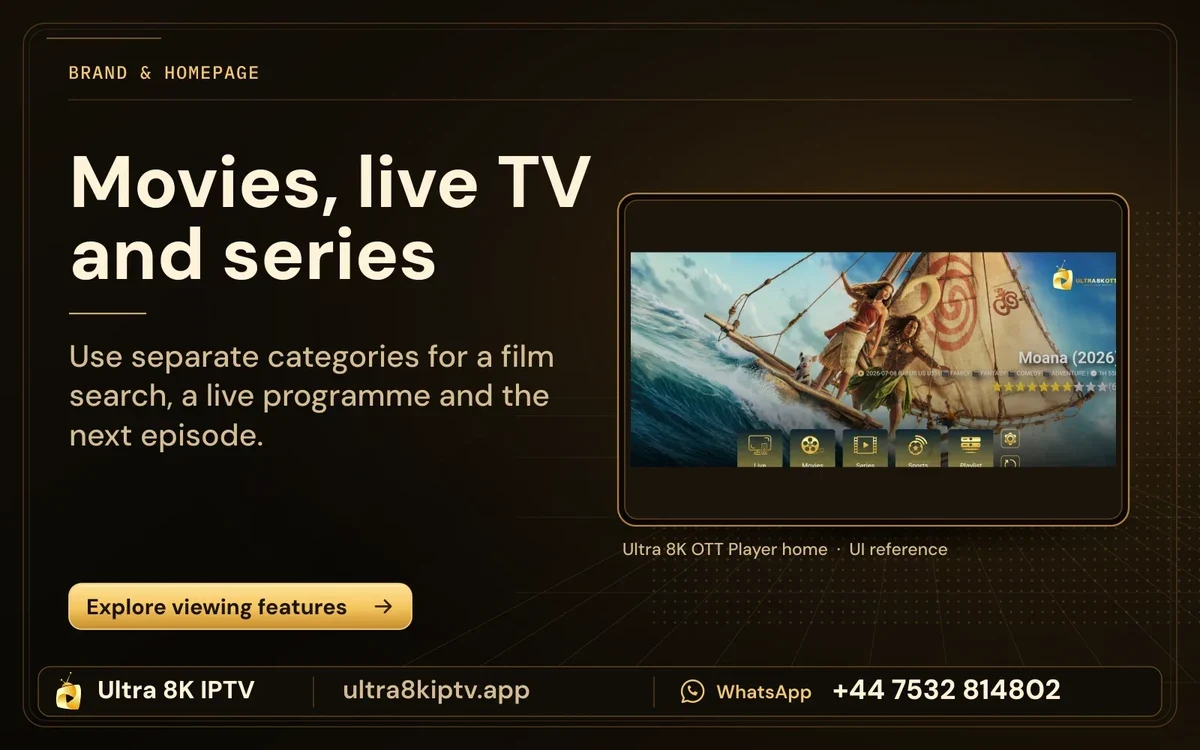
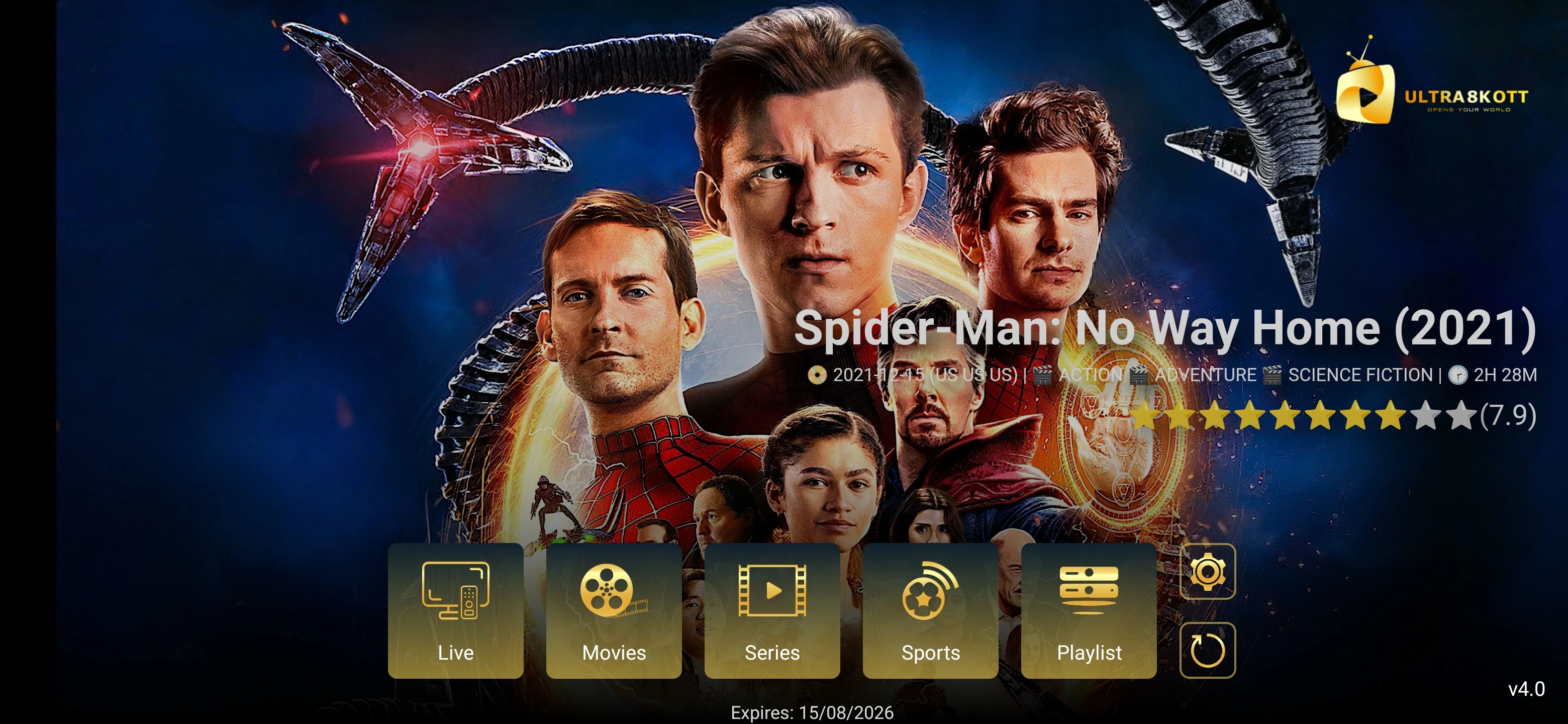
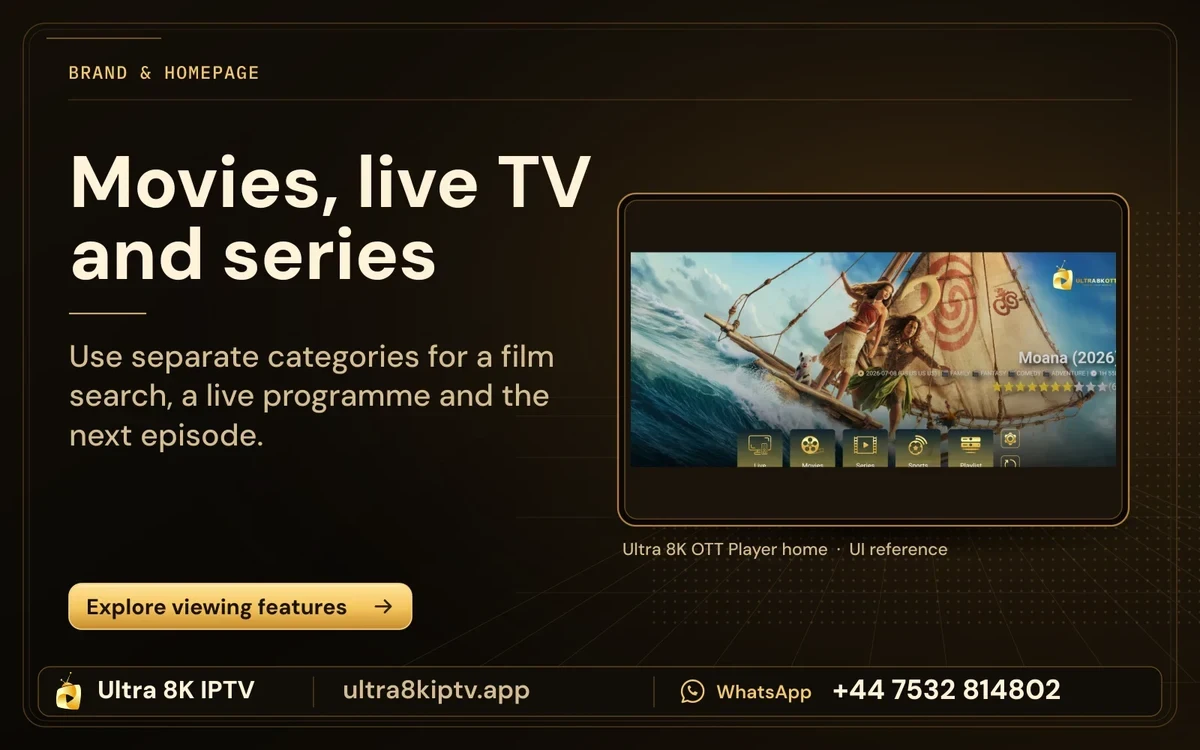
Ultra 8K OTT Player is the branded Android route described in Ultra’s installation guide. The provider shows an interface for live viewing and on-demand categories. For a compatible device, begin with the current product page and confirm the device family, app name and publisher or supplier route. An image of a familiar home screen is a useful visual check. It cannot tell you whether a particular system version supports the current app or whether the operator has authorized your account yet.
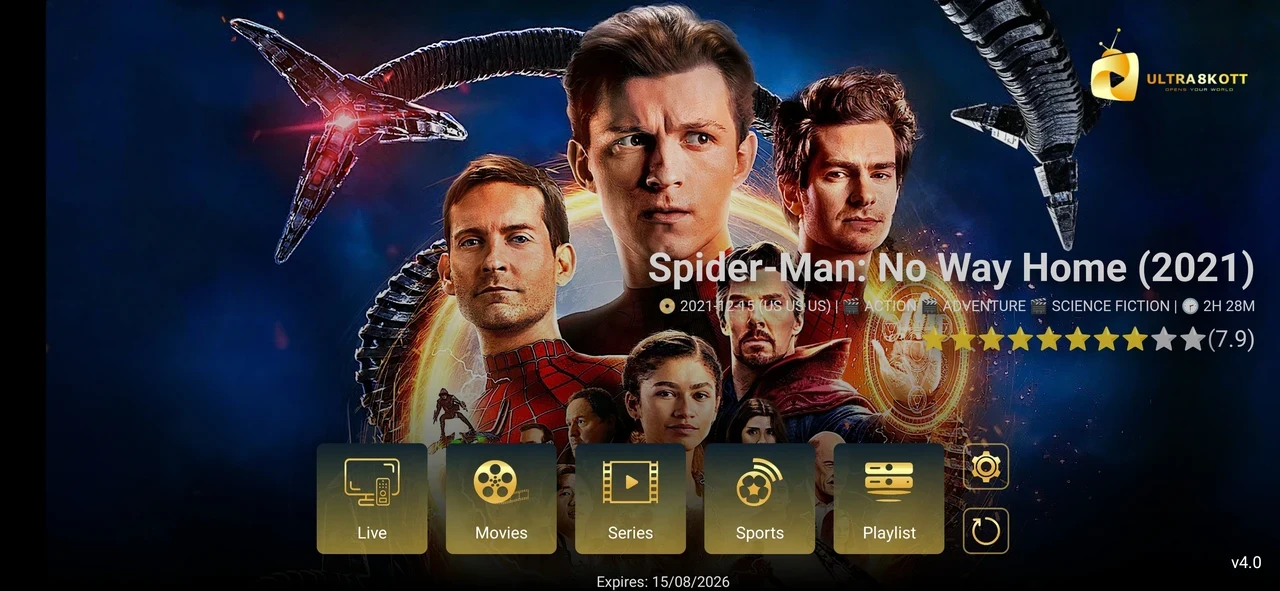
XC 8K OTT Player has its own guide and interface gallery. The seller shows a guide, favourites, home, search, settings and playback views. Its page says that the locally held direct-installer copy was incomplete and directs users who need the current installer to support. That detail changes the sensible next step. A buyer unable to obtain the current trusted file should ask the seller for the supported route for that device. Guessing a filename from another product page risks wasting the trial on unrelated software.
XOTT Player is a third player name on the installation hub. The letters resemble the XC label at a glance, particularly on a small phone display. Make the proposed player explicit in written support exchanges. “XC 8K OTT on the bedroom device” and “XOTT Player on the living-room screen” identify different setup conversations. A code or instruction for one player can be completely unsuitable for the other, even when the service account is valid.
Keep a simple identifier with each installed device. It might say “Living-room HDMI box, system shown in Settings, app title and version shown under About, retailer or publisher page used.” If a household uses only one player, that line saves time when the next system update changes how an icon looks. An installer managing several homes gains even more. Asking for “the blue app” leaves every support conversation dependent on visual memory and the current artwork.
People often confuse opening a player with successful service activation. After installing the intended product, see whether the remote can reach its account entry screen. Then follow the private account format the seller supplies for your own order. A separate fee charged by a player developer is a question for that publisher and may have its own renewal date. Capture the status of software access and viewing access separately.
Look behind the operating system label for the actual playback device. If the television uses a stick connected through HDMI, the stick may determine the software route. If the household launches apps from the TV’s built-in home menu, the television’s own platform matters. If a laptop displays through the television, the laptop remains responsible for the player. The same screen in the room can therefore need different instructions depending on the input and source.
Ultra’s installation guidance specifically distinguishes Fire OS devices from newer Fire TV models that may follow a different software route. Before using an Android installation guide, read the model and system version in settings. The fact that a device was purchased from the same retail brand as an earlier stick does not establish the operating system. A quick photograph of the general model information, with personal identifiers cropped, can save a collector of remotes a frustrating evening.
Samsung Tizen and LG webOS have their own app-store routes. Ultra’s guide directs users of those systems to identify an appropriate player for their television model and store region. An Android installer intended for a compatible box serves a different platform. A household can still use a suitable external device attached to the TV, provided the seller and app publisher support the intended combination. That adds an input and remote to the daily routine, so test the entire arrangement from the seat before buying a long term.
Do the same on a phone or computer. Android, iOS, Windows and macOS each have their own application options. Ask what the operator expects for the exact model, application and account format. If the seller recommends testing on a phone while the real purchase is intended for the television, record the limit of the test. A working mobile account can narrow a problem to the television setup. It does not confirm that the TV’s remote, app, guide or native controls will satisfy the viewer.
A useful commissioning note starts with a plain sentence such as “The television displays the HDMI box, the box runs the player, and the player asks for this type of account.” No credentials belong there. When a support representative later asks which component was updated, you can point to that sentence and name the changed device. It prevents an entire family from trying to solve a player problem by repeatedly changing unrelated picture settings.
Ultra advertises a one-day trial after the compatible player is installed. Ask when the clock starts and what conditions apply to the intended country, viewing address, player and number of simultaneous screens. A buyer who requests the trial before the television is unpacked may spend the useful hours solving basic setup. A buyer who schedules it around an ordinary evening can answer practical questions about the actual household.
Decide on three checkpoints before contacting support. First, can the regular viewer reach one known live programme without assistance? Second, can that person identify what is on next using the guide in the selected time zone? Third, do the audio or caption options that matter to the family actually work on a representative programme? Add a single on-demand or resume check only if that feature matters to the purchase. A tight plan leaves time to investigate an unexpected result.
Agree how the test will end. An annual subscription deserves a different standard of certainty from a one-month experiment. If the only unresolved point is an unfamiliar remote button, a short written instruction may settle it. If the entire household requires two simultaneous streams and the seller has yet to specify the paid allowance, no amount of enthusiastic channel browsing settles that question. Put it in the pending column and ask for the written terms.
Run one interruption that is likely to happen at home. A person answers the door, pauses what they are watching and returns; or another person changes the TV input and the family needs to reopen the player. Observe whether the same programme is easy to recover. For live viewing the expected result might be a return to the current live point. An on-demand item may behave differently. Ask which behaviour the app supports before treating one as an error.
Keep the test result modest and time-specific. “The XC guide on our named device showed the local bulletin at its scheduled time on this evening” says something verifiable. “Everything works everywhere” would be a different claim for which a one-day home trial has no basis. If an important sports event falls outside the trial window, ask the seller to confirm the exact event, market and account conditions before deciding whether that missing evidence changes the purchase.
Look at XC’s guide screen first. It shows how station names and programme entries are arranged in one published interface. The buyer can use it to decide whether to ask for large type, a quick guide button or clearer time labels. It does not show how many future days of guide information your particular account will have for the station you want. A screenshot has value precisely because it lets you ask a more specific question before paying.
The favourites screen offers another useful example. A household with a long station list may need only five entries within quick reach. During the trial, add a permitted station to favourites, leave the player normally and reopen it. See whether the saved entry still appears and whether the regular viewer can reach it without going through the full catalogue. If the provider proposes switching players, ask what happens to favourites before deleting the original setup. The account may survive while local preferences must be recreated.
The search image can help define a test for names containing spaces, numerals or accents. Choose a real title, station or programme you expect the operator to supply in your location and search using the spelling the household normally types. If the result is absent, try a direct category lookup before concluding the item is missing from the account. Search visibility, a guide entry and a playable item answer different questions. Give support the path that did find the item, if one did.
The playback screen is the least useful place to infer a resolution promise. Displayed controls can reveal how a player presents volume, captions or viewing options. They cannot establish the native detail of a particular live source or the bitrate reaching your home at that time. Check readability of a moving score graphic, speech sync and picture stability while using the real device. Report those observations instead of assigning a resolution from the product name.
A gallery can also save a reseller a support ticket. Use the public image privately to ask “Does your screen look like this guide, the XC home screen or a browser login?” A customer can often identify the broad interface without sharing a screenshot containing personal data. Reserve full account captures for the operator’s protected support channel and crop out credentials, device codes, transaction data and account balances that the recipient does not need.
| Ultra 8K OTT term | Published term total | Difference from previous term in the table |
|---|---|---|
| 1 month | $9.59 | Starting point |
| 3 months | $23.99 | $14.40 more than one month |
| 6 months | $39.99 | $16.00 more than three months |
| 12 months | $54.99 | $15.00 more than six months |
The question for someone considering six months is simple. Is the household willing to pay another $15 now for a further six months on the quoted account? For a long-settled home with a tested player and confirmed access requirements, that difference may be attractive. For someone about to replace the television, move to another market or change who uses the account, the six-month boundary can be worth keeping. The price table serves both decisions.
Consider a renter who expects to stay eight months. If Ultra permits sequential renewals and prices stay fixed, six months plus two monthly terms total $59.17. The annual listing is $54.99, a difference of $4.18. If the renter stays only seven months, six plus one equals $49.58, which is $5.41 below the annual amount. A single month of uncertainty changes which of those combinations has the lower published total. Knowing the likely end date is more useful than a generic injunction to buy the longest term.
Three months separately at $9.59 each cost $28.77, compared with $23.99 for a quarter. That $4.78 difference is the price of keeping a decision point each month under these assumptions. A small household trying a new device may judge the extra flexibility reasonable. A reseller preparing a household quote should show the complete chosen amount with the applicable allowance. A monthly equivalent by itself hides the payment a new customer must actually make.
Check installation expenses at the same time. The operator says a separate player licence may be required by the chosen application. Ask the publisher how long the licence lasts, on which device it works and whether it transfers. A newly purchased player on an old television can make a short stay more expensive than the account price suggests. An already-owned compatible app may eliminate that cost. The household needs its own total, even though the subscription sticker is the same for everyone reading it.
Finish the calculation against the final order, including the currency, permitted account configuration, activation date and the seller responsible for the next renewal. Any payment instructions or quote reached through support should identify the term the customer selected. Retain the confirmation and inspect the resulting account expiry after activation. A printed card can verify a published offer. It cannot stand in for the actual terms of a private sale.
One remote turns the television on. Another operates the HDMI box. A soundbar may bring a third into the room. When a new player appears unresponsive, establish which device currently has focus before changing an account setting. Press the TV’s ordinary input button, identify the active HDMI port and use the corresponding device remote to reach the player. This small exercise prevents a surprising number of “service down” complaints caused by a perfectly working app sitting on another input.
Use the person who watches most often as the final acceptance test. First show them the path from a powered-off television to the selected programme. Then let them repeat it unaided. If they reach the manufacturer’s channel guide rather than the IPTV player’s guide, identify the home or source button that matters. A useful note might say “Choose HDMI 2, open XC with the small remote, then choose Favourites.” The words should match the actual household configuration and software version.
Test volume and dialogue in the same way. When a soundbar or receiver is involved, identify which component changes volume and which audio output the television selected. Try a representative speech programme and a second item approved for the trial. If one item is silent while another plays normally, identify any selectable audio tracks before altering the entire television’s audio output. A fault affecting all HDMI sources points support towards a different component from one silent feed in a working player.
Accessibility changes the acceptance criteria. Sit at the usual distance and check whether the guide text, selected menu highlight and captions are legible to the actual viewer. A screenshot reviewed on a bright phone may reveal little about the view from a sofa in daylight. If the user needs audio description or a specific caption language, choose a programme and feed carrying that option for the relevant market and confirm what the account supplies. Preserve the exact observation, including any missing feature that is essential.
Finally check what can be restored after an accidental exit. Familiar viewers sometimes leave a player open for weeks, until a power interruption forces a fresh start and nobody remembers the route. A short practice power cycle while the installer is present is a better investment than a stack of screenshots nobody will consult. Record only the steps the family needs every day. Keep the account documentation, payment details and activation secrets separate from the note beside the remote.
A blank guide and a blank picture can occur independently. Ask the viewer to describe the last screen that looked right. If channel names appear and a selected station plays, the account already has a functioning playback path for that station. The missing component could involve the guide feed, date, clock or channel mapping. If the player stops before any account or category appears, a guide refresh is unlikely to answer the original problem.
Choose one named local station and a second independent station. Record the programme that is actually playing, the guide information shown and the expected local time. If the entire guide is shifted by the same number of hours across unrelated stations, inspect the device’s time-zone and daylight-time settings. If a single station reads incorrectly while several others match the broadcaster schedules, capture the station identity and ask the operator to inspect that mapping. A photograph of the entire screen is less useful than those two precise observations.
The reseller or installer can help by checking whether the same user switched players. XC’s guide and a second app may have different refresh controls, categories or saved favourites, even when the underlying account is the same. Ask which application currently shows the problem. Someone who gives instructions for the Ultra branded player while the viewer is in XC may inadvertently tell them to clear the wrong data or open a menu that does not exist on their screen.
Limit the changes in one support exchange. First establish the current clock and whether the fault affects one or several feeds. Then perform the relevant refresh supported by the player. Check the same station afterward and record the result. If a full reconfiguration is necessary, ask what local settings or accessibility preferences need to be saved. This order gives both parties an observation they can act on and leaves an otherwise working living room usable.
For a publicly shareable forum question, use the station name, device, player, date and result. Omit playable addresses, account identifiers, panel access, device-binding information and personal purchase details. A community member can suggest a clock check or help distinguish the two player interfaces. A change to a specific paid account remains work for the seller who issued that account.
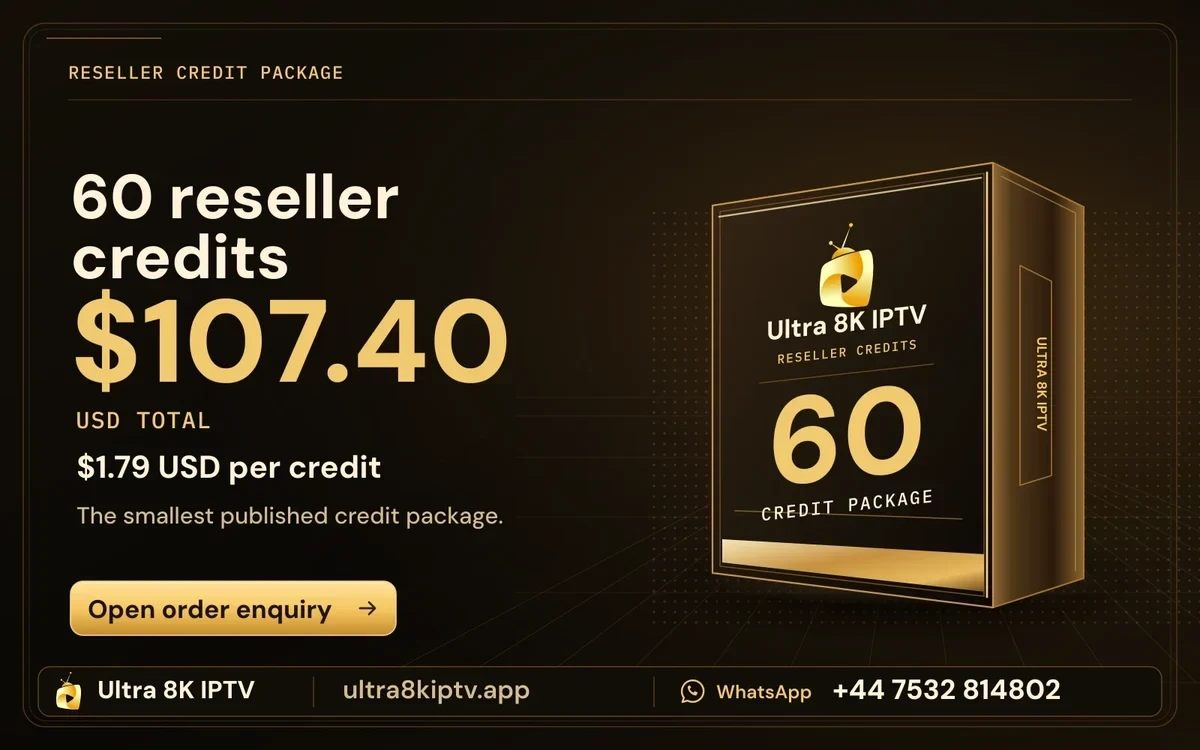
Ultra’s reseller page gives a clear standard unit. One credit represents one customer month on one standard connection. Three months consume three, six months consume six, and a customer year consumes twelve. If another connection or a different account configuration is proposed, ask the operator for the precise rule before quoting a customer. Multiplying the standard figure by the number of televisions a family owns would be a poor substitute for a documented account allowance.
| Purchasable balance | Cost in USD | Unit price | Three standard months | Twelve standard months |
|---|---|---|---|---|
| 60 credits | $107.40 | $1.79 | $5.37 | $21.48 |
| 120 credits | $202.80 | $1.69 | $5.07 | $20.28 |
| 300 credits | $477.00 | $1.59 | $4.77 | $19.08 |
| 600 credits | $894.00 | $1.49 | $4.47 | $17.88 |
Suppose an operator buys sixty credits and issues one year to a standard customer. Twelve credits leave the panel, carrying $21.48 of the package’s direct acquisition cost. The opening transaction still took $107.40 in cash. The 48 credits remaining carry $85.92 of the original acquisition cost at that pack’s unit rate. The customer has a twelve-month service period. The fraction of a purchased pack and the whole customer term are two separate accounting quantities.
A mixed starting batch makes the relationship clearer. Four quarter terms consume twelve credits in total. Two six-month terms take another twelve. One annual term takes a further twelve. Seven customers following those different term lengths have used 36 credits, leaving 24 in a sixty-credit balance. The direct allocation at $1.79 is $64.44. Seven customers on all-year terms would instead need 84 credits. Customer count alone cannot determine how large a pack a new desk needs.
The pack rate matters less than confirmed demand when stock must be purchased in whole lots. A business expecting exactly 80 standard customer months could buy two sixty packs for $214.80 or one 120 pack for $202.80 at current rates. Both would have 40 credits left after meeting the demand. The difference is $12. If confirmed demand is only 58, the sixty pack covers it entirely and leaves two credits. Buying 120 to improve the unit rate would tie up an additional $95.40 that day.
The published unit rule supplies no proof of credit expiry, refund treatment, transfer privileges or territory rights. Ask each of those questions before allocating an acquired pack across a long calendar. A business that promises a year to a household assumes a year of customer questions about device changes, app updates and renewals. Those hours and other operating costs remain outside the direct allocation shown in the table.
Give an installation a deliberate finish. Before leaving, ask the viewer to show the path from switching the television on to starting a specific programme and back to the guide. Ask them to name which of the Ultra, XC or XOTT player routes they are using, or leave the exact name written next to the everyday steps. If they cannot distinguish the TV’s own apps from the HDMI device, photograph the relevant input label with their permission and leave the simple instruction at the set.
Keep two records. The household copy contains the ordinary operating instructions, seller identity, renewal date and the contact route for help. The private service record contains the actual order, receipt or authorized internal reference under the customer’s control. A printed sheet that stays where visitors and children can read it has no reason to contain passwords, activation details, personally identifiable information or payment data. Separate access documents can be handed over through a private channel.
Write down where responsibility changes hands. The installer can often help with remote controls, an HDMI input or a device update. A player publisher may control licence transfer or a charge for an application. Ultra or the authorized seller that issued the viewing account can investigate its activation and expiry. A reseller who sold the account owes the customer the support promised in their own agreement. A helpful note points to the right person for each predictable problem, without promising that one contact can change systems belonging to somebody else.
Use one realistic fault as a rehearsal. Ask the viewer what they would do if the player displays tomorrow’s guide correctly but refuses one particular station. If they can identify the station and time and find the support contact without reaching for a credit card or factory-resetting the television, the handover is in good shape. If their first instinct is to buy another subscription, explain which issue must be investigated before more money changes hands.
Follow up at a time the customer expects only where that contact has been agreed. A useful follow-up asks about the original acceptance criteria. Did the remote note help? Can the viewer recover the favourites screen? Does the account show the purchased term? Those answers give the installer a record of what was delivered and the customer a chance to flag a specific remaining defect while the details are fresh.
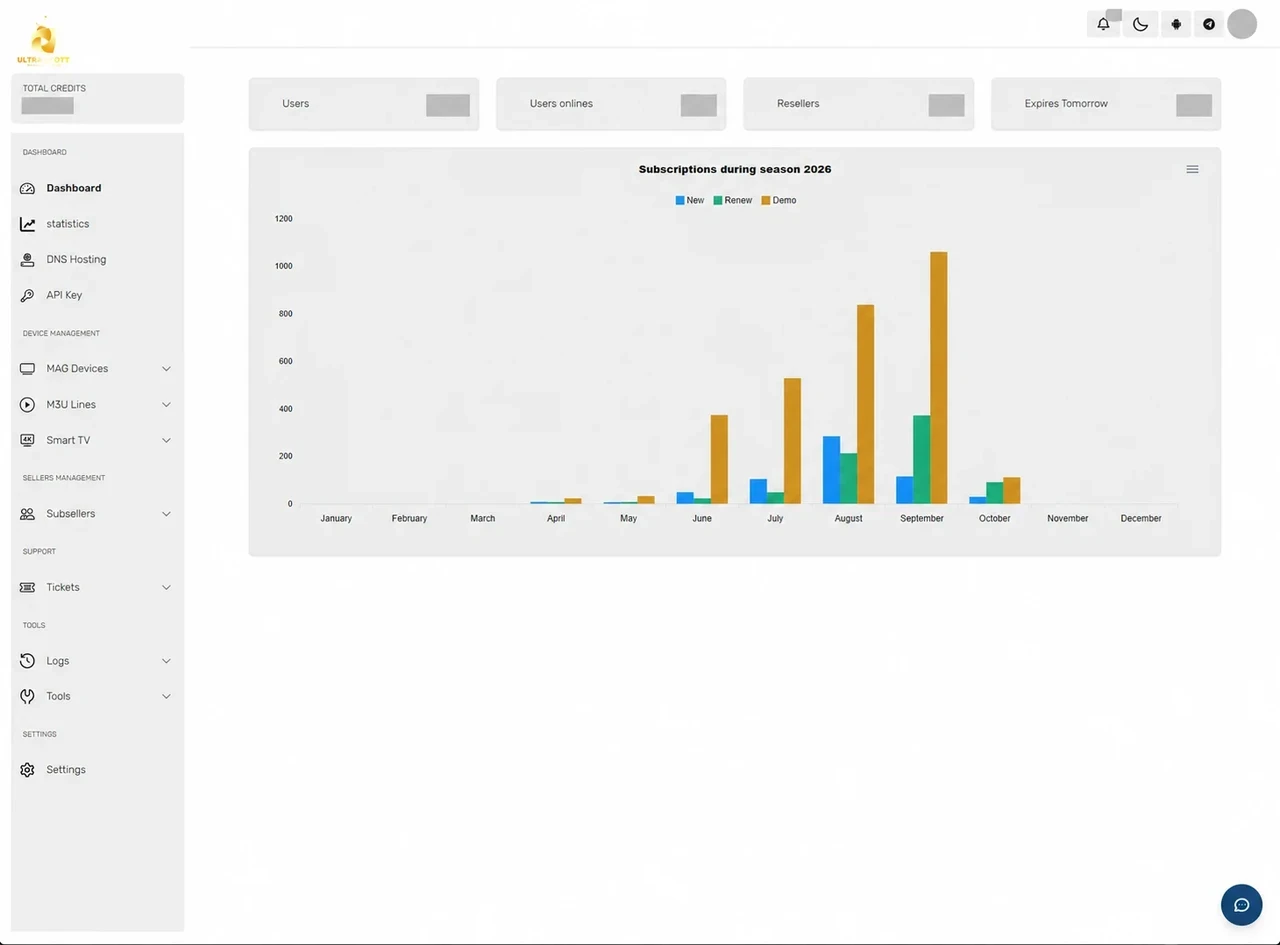
The Ultra reseller page uses a cropped sign-in visual. A person looking at it can recognize an entry screen and ask useful onboarding questions. The image does not establish that a new applicant will be able to change every customer, transfer balances to another reseller or issue unrestricted trials. A prospective reseller should request the exact permissions, volume conditions, support route and territory for the arrangement being proposed.
A sensible opening question asks about a single real job. “I want to extend one existing standard customer from its present expiry by six months. What should the operator verify, what change will appear in the panel, and what happens if I select the wrong term?” The standard unit mapping predicts a six-credit debit. The operator still needs to confirm the permissions, correction process and account that will actually be extended. These details make the public pack table usable in real work.
Customer category controls and reseller permissions also belong to different conversations. Ultra describes account-dependent category organization on its customer side. An end user hoping to simplify a television menu can ask which controls the operator allows for that account. A reseller hoping to create customers or change balances needs the reseller programme. Granting an ordinary viewer a customer-level setting says nothing about authority to sell or operate accounts for other people.
Write down the boundary in any staff training material. Content customers may reorder locally can be affected by a player’s saved preferences. Categories the provider controls may require a change at the account level. Paid-term provisioning belongs with the seller or authorized reseller programme. When support receives “my channels are gone,” ask what changed last and which screen is empty before assuming that somebody removed paid access.
A business interested in wholesale arrangements or distribution should use the operator’s dedicated enquiry routes. A volume discussion can address price, currency and replenishment. Distribution raises additional matters such as permitted territory, use of the provider’s marketing images, who accepts customer complaints and what happens to existing accounts if the relationship ends. The photograph of a working dashboard supplies none of these contractual details on its own.
A borrowed or temporary set offers a useful test of the whole arrangement. The household may own the stick and viewing account while somebody else owns the display, remote or soundbar. Before connecting equipment, agree which inputs can be changed and note their original settings. Identify who is allowed to install or remove apps on each device. The easiest arrangement may involve connecting a familiar external player to a permitted HDMI input and leaving the television's own accounts untouched.
Ask the person who owns the display how it should be returned. Record the original input, whether sound was routed to its own speakers or an external receiver and where the everyday remote belongs. When the family finishes the temporary installation, sign out of the viewing player where appropriate and restore those ordinary settings. An account that remains signed in on a borrowed device can give a later viewer access to a session the paying household expects to have available.
A short stay also changes the spending decision. A family using a borrowed set for a month can try the $9.59 one-month Ultra listing on its identified device and obtain the current allowance in writing. Paying the $54.99 year immediately would leave $45.40 more committed at checkout. If the family expects to take the same device to its next home, ask whether the market changes, whether the account or separate player requires a transfer and how an unused portion of the term is treated. These are concrete costs and permission questions, even for a household that likes the interface.
At the end of the stay, prepare a one-paragraph handover to yourself. Record which device leaves with the family, which app it uses, the date of the next renewal and the permitted support contact. If a stored favourite works only because of the first location's station lineup, label it accordingly. The next time the family connects the same box, they can separate a new location's lineup question from a basic installation problem. This keeps the original trial useful even after the television and living room change.
A final detail for a temporary installation is the sound path. A buyer may take the same external box and player from a set with a soundbar to a set using its own speakers. A working picture and silent dialogue on the second set can be a local output-selection problem even when the viewing account, source and player did not change. Start with the television's own menu sound or a known working application under the same output condition. Then compare the chosen player with two permitted programmes and note where audio returns.
Keep the observation in the handover for the next location. “Sound returned after choosing the TV's own speakers on the borrowed set” is more useful than writing that Ultra required a reinstall. The next person can identify the environmental change and keep an otherwise working account configuration. If the symptom instead follows one specific feed on both systems, report the feed and time to the operator and preserve both devices' working audio settings.
For a household, the last question is whether the operator has confirmed the configuration you tested and the term you intend to buy. Record the dated headline price, actual payable amount, player route, number of allowed active streams, scope at the viewing location and the start or renewal rule. If the person selling the account cannot answer the must-have condition, a shorter term can limit exposure only where that shorter term still serves a useful purpose. Sometimes waiting for an answer is the cheaper decision.
For a reseller, the equivalent check connects a paid package, opening balance, issued term, observed debit and resulting expiry. Take an example in which a sixty-credit pack opens correctly and a standard quarter is issued. The balance should move by three under the published schedule. If it moves by another amount, preserve the operation details and ask the operator to explain the actual configuration before carrying on. Repeating the same issuance as an experiment can leave a customer with two changes nobody intended.
For an installer, success is visible at the sofa. The viewer can turn on the right input, open the chosen player, find a known station, read the guide, control the sound, return after an interruption and find a useful support contact. The homeowner can also distinguish the player licence, the Ultra viewing account and any additional service being considered. That knowledge survives the manufacturer changing an icon or moving an app on a television home screen.
Use the product and panel artwork for what it does best. It helps a buyer recognize the correct route and makes a technical conversation easier to start. Use published term and credit numbers for the decisions they actually support. Use your own device, location and viewing priorities to settle the remaining questions. A carefully commissioned screen and a clearly documented account are worth more to the household than a confident label with no test behind it.
Suppose you expect to watch for six months. At the listed single-month amount, six separate purchases would total $57.54 USD. The six-month offer asks for $39.99 USD up front. That comparison assumes every new month is available at the listed amount. Check renewal separately before relying on it.
| Viewing period | Separate monthly purchases | Single matching term | Difference | Monthly purchases to reach term price |
|---|---|---|---|---|
| 3 months | $28.77 USD | $23.99 USD | $4.78 USD | 3 |
| 6 months | $57.54 USD | $39.99 USD | $17.55 USD | 5 |
| 12 months | $115.08 USD | $54.99 USD | $60.09 USD | 6 |
Read the final column as a spending threshold. If you expect to cancel sooner, compare the shorter commitment with the cash you would have paid up front. The figures exclude fees the seller has not confirmed.
Check Ultra 8K OTT subscription termsThe smallest priced pack in this register holds 60 credits and costs $107.40 USD. The largest holds 600 for $894.00 USD. Their displayed unit costs are $1.79 and $1.49 respectively. The published deduction for a standard twelve-month customer is 12 credits. Check the operator’s treatment of additional screens and renewals.
The image link identifies the exact file served by the provider.
Choose a matchup to see the actual currency, term and outcome.
Open the caption on a website-sourced image to see its original. The remaining captions identify material supplied with the provider archive.