provider
XOTT
Check the XOTT player and the exact subscription route. Confirm territory and account allowance separately.
xott.app · Check exact market
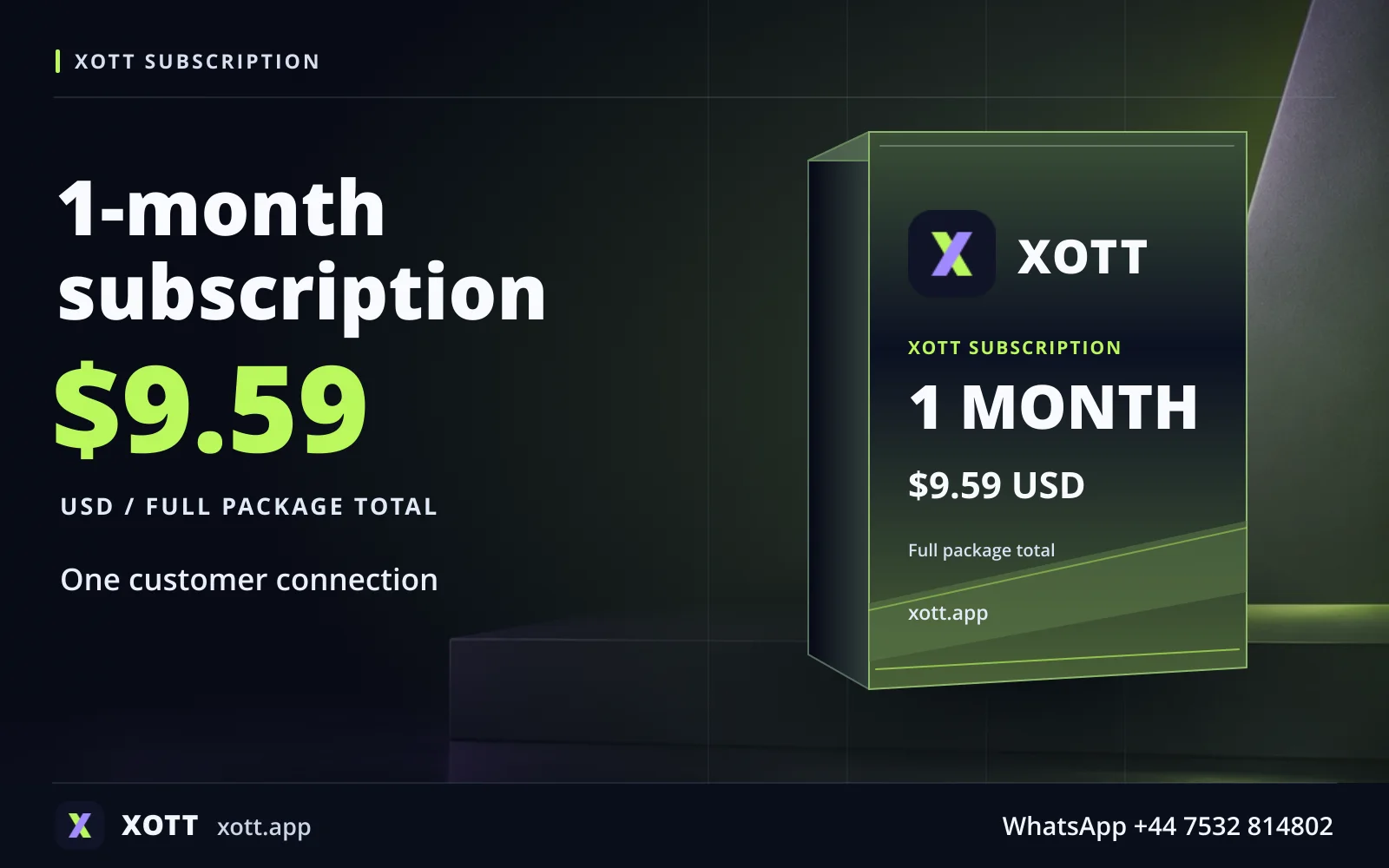
Open the official XOTT websiteThe 1 month plan is listed at $9.59 USD. The operator also lists 4 reseller pack sizes.

xott.app
The 1 month plan is listed at $9.59 USD. The operator also lists 4 reseller pack sizes.
The 1 month plan is listed at $9.59 USD. The operator also lists 4 reseller pack sizes.
Check the XOTT player and the exact subscription route. Confirm territory and account allowance separately.
xott.app · Check exact market
Open the official XOTT websiteXOTT maintains the site at xott.app. Check who issues the invoice and who replaces the access if the app or TV changes. The buyer needs both answers before paying for a long term.
Document review · November 19, 2026. Playback performance, service rights and ZIP-level access require separate evidence.
The 1 month plan is listed at $9.59 USD. The operator also lists 4 reseller pack sizes.

xott.app
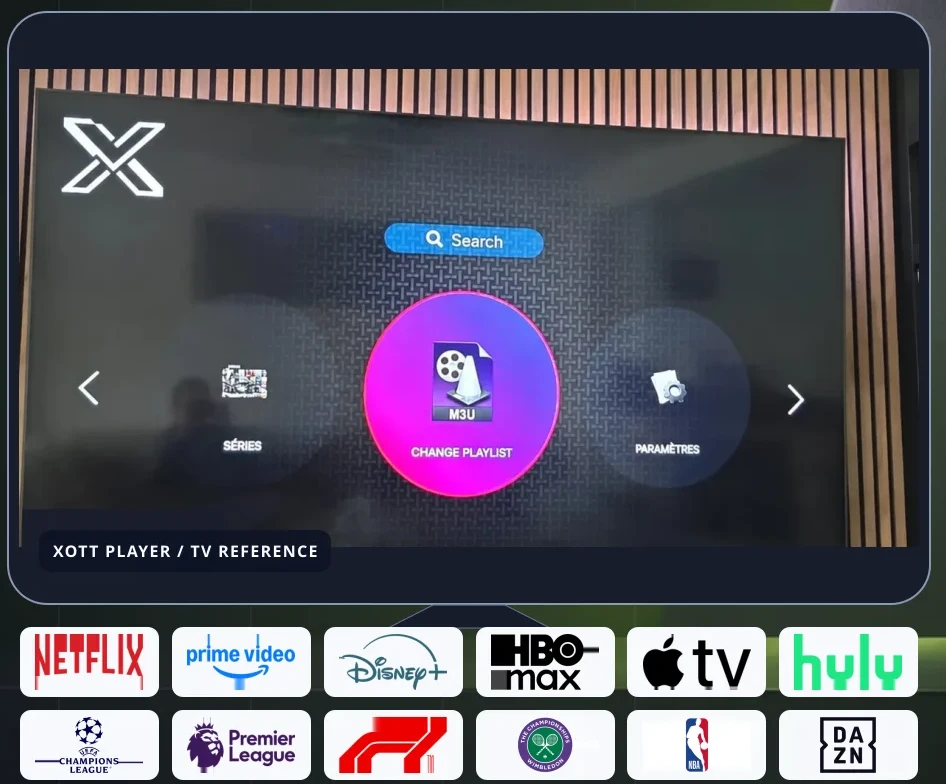
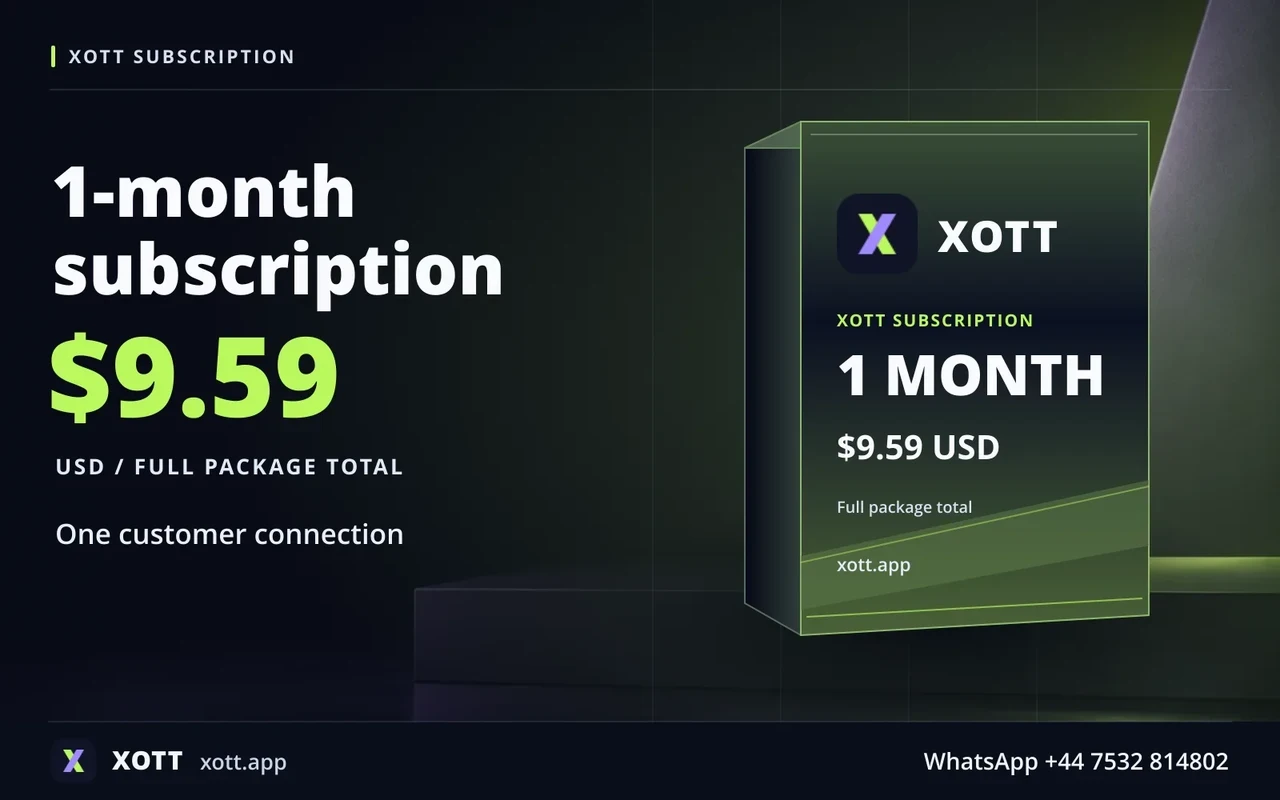
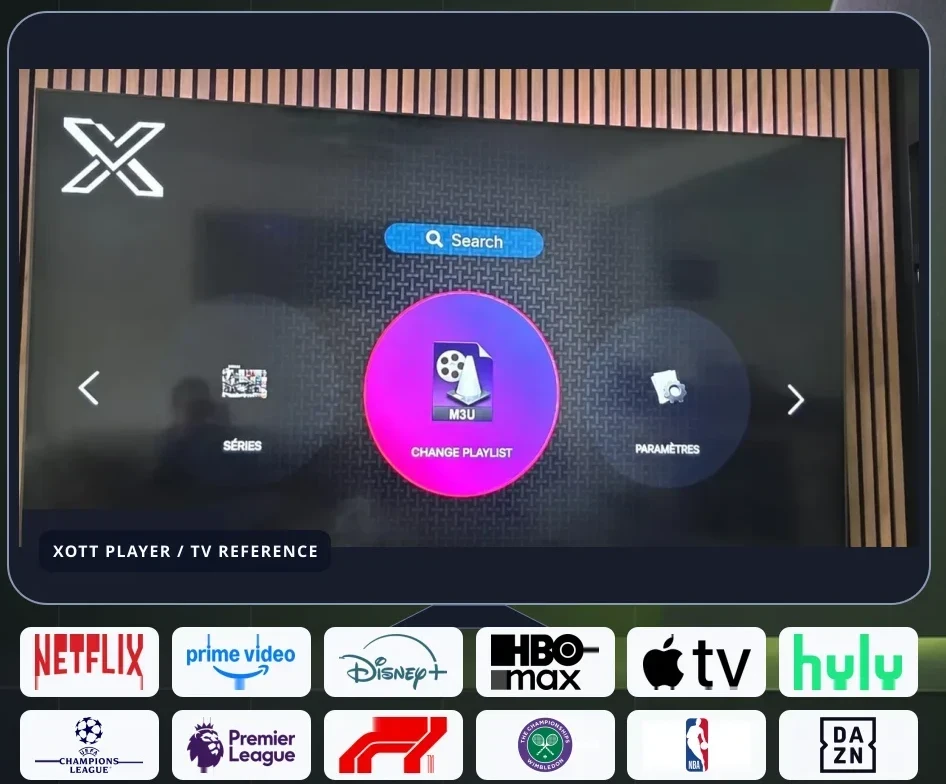
If XOTT Player opens on your television and asks for a playlist, buying the app has not necessarily bought a television subscription. You have reached the place where a compatible viewing account is connected. If you already have an authorized account, ask its issuer which input the player should use. If you want an XOTT viewing subscription, the published schedule starts at $9.59 USD for one month and one customer connection. Those two journeys can meet on the same screen. They have different sellers, records and possible charges.
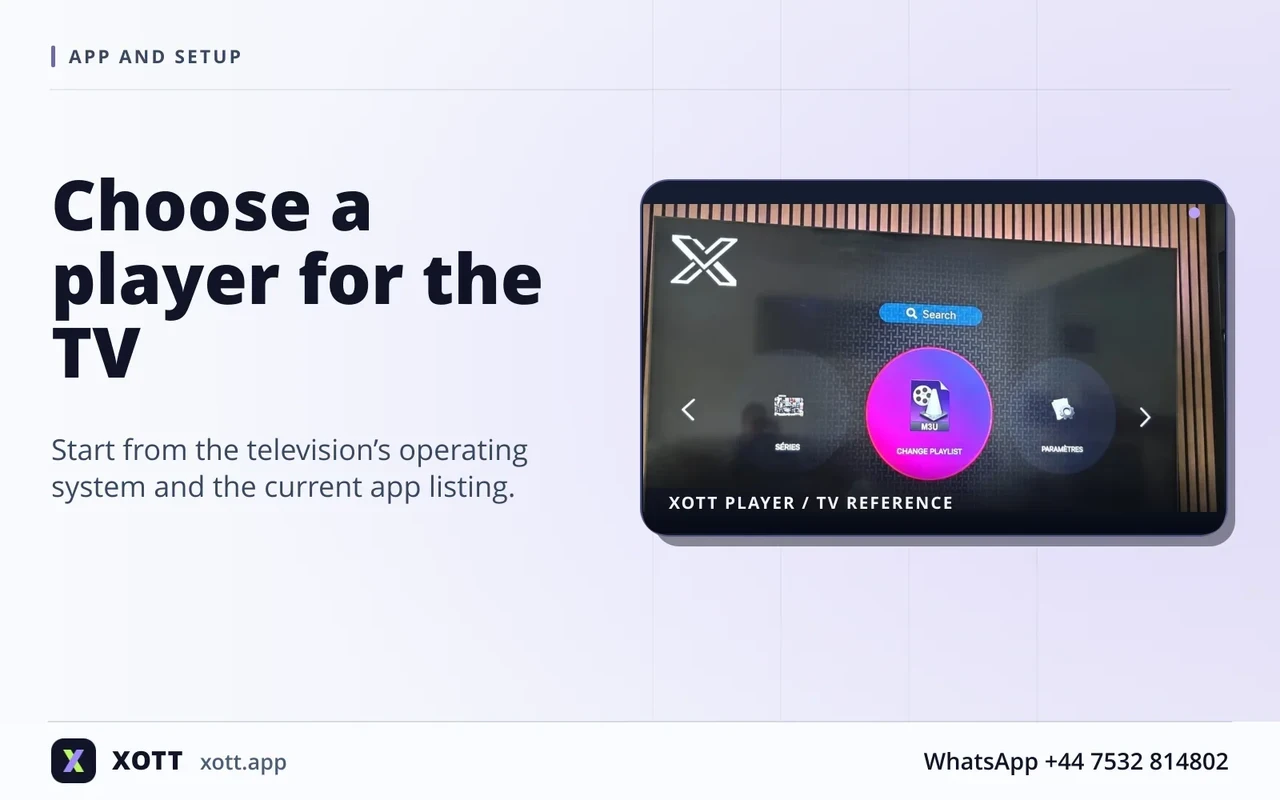
That empty screen is a good time to stop shopping for a few minutes. Which application did the television actually install? Is this the screen in the living room or an HDMI stick's home screen? Did the message appear before or after the account was added? A useful photograph of an XOTT menu can help a family recognize where they are. It cannot tell them whether they already paid a separate software charge, whether their local app store carries the same version or whether their viewing account has expired.
XOTT's photographed interface and device references make this provider unusually well suited to a practical installation check. The point of working through the steps is to reach the right support desk with a precise question and a defensible budget. The rates and account model discussed here come from XOTT's published pages checked November 19, 2026. The examples below are household and business calculations. The results of a particular trial still depend on the account, app, device and authorized viewing area used by the reader.
Start on the device with which you will actually watch. On a Samsung television that means finding the exact model code and looking for the player in its own Apps interface. On an external box, switch to its input and use the store belonging to that box. Searching the name in a phone browser produces a very different result from seeing a compatible listing on the television. A listing visible on a relative's newer set also leaves the question open on yours.
XOTT's Samsung guide correctly draws attention to the operating system. A Samsung smart TV running Tizen uses a native software route. An Android installation file will not install a Tizen application. From the sofa, two black rectangles can look much the same. From a software store's point of view they are different platforms. Give support the model code and configured store region rather than spending an evening trying software intended for a different device family.
Read the publisher and the entry shown for your model. If the television displays a price for the application, see whether the listing explains what that payment provides and whether it is tied to this device or account. Ask the software publisher about its charge. If XOTT has quoted a viewing subscription, ask XOTT about that subscription. A screenshot naming both a player and a television does not connect the two bills or transfer one purchase into the other.
In a shared household, agree which adult account will manage any app purchase. A visiting relative installing the software under their own device-store account can leave a family dependent on that relative when the box is replaced. Keep the app purchase reference where the purchaser can retrieve it. The viewing login, if later supplied, belongs in a separate private record. This separation becomes surprisingly important when an app asks for payment on the same day as an unrelated subscription renewal.
Player setup often stalls because a perfectly good account has been put into the wrong set of fields. A screen that requests one complete playlist address is asking for a different input from a screen that requests a service address, a username and a password separately. Other players use an authorized device-linked setup. Ask the account issuer which method it supports for this exact application and which screen is appropriate. Do not copy fragments into a collection of fields just because their names sound familiar.
A household can describe the layout without showing its credentials. “There is one box for the playlist address and one box for a local display name” is enough to identify many mismatches. If support needs an image, send an empty form or a carefully cropped image with codes, account identifiers and the full playlist address removed. A machine-readable code on the screen can include information the eye cannot read. Leave it out of public forum posts too.
Enter privately supplied values carefully. A television remote makes similar letters and punctuation easy to confuse. Check for an accidental space when an on-screen keyboard completes a word. Give the saved profile a familiar local name that identifies the household account, such as living room, rather than the password or buyer's email. A sensible name makes it easier to find the right profile again if the household has also tried a temporary account with the seller's permission.
Once the app accepts the account, check whether it actually loads a category, guide entry or authorized program. Reaching a menu identifies a different stage from successful playback. Record which step worked. When a blank page follows a successful save, the operator needs to know whether the profile is present after reopening. That observation can narrow the issue without a factory reset, a duplicate subscription order or the deletion of another family member's working account.
A native application usually lets the viewer stay in the television's main interface. That can be convenient for someone who already knows the remote and wants fewer inputs. Its usefulness depends on the actual store listing, supported app on the model and whether the viewer finds the controls legible. If XOTT Player is absent from the native store, a photograph of it on another television is not a reason to pay for viewing access before checking an alternative.
An external HDMI device gives the household a separate software platform. A Fire TV stick connected to a Samsung display uses the stick's platform for its player, even though the screen itself still shows a Samsung logo at startup. Write down both pieces of equipment but identify the device running the app first when requesting help. The distinction saves support from recommending a Tizen menu to someone who spends every evening in a Fire TV interface.
Check the changeover with the person who does the most viewing. Can they select the right input after watching broadcast television? Does the normal remote control the menu they need? Can they return to their favorite list after exiting? If operating the external device requires a remote which is usually lost or difficult to read, the lower price of that box has a real household cost. A successful installation by a technically confident friend misses this question.
If you already own both routes, compare them without buying a second viewing allowance. The standard published XOTT terms describe one customer connection. With permission to move that connection, stop playback on one device before testing the next. Ask the seller what it considers a stopped session and whether changing devices requires other action. The ability to install software twice and the right to stream twice at the same moment are separate details to settle before relying on the setup.
| Standard XOTT viewing term | Full payment in USD | Approximate monthly equivalent |
|---|---|---|
| One month | $9.59 | $9.59 |
| Three months | $23.99 | $8.00 |
| Six months | $39.99 | $6.67 |
| Twelve months | $54.99 | $4.58 |
The table refers to the published one-connection terms. Ask for the final payable amount, app fees, any extra allowance and renewal arrangement for the actual order. The annual equivalent of $4.58 is rounded to cents. It is not a separate offer to pay $4.58 twelve times. A buyer comparing a $9.59 charge today with a $54.99 charge today should look at when money leaves the account, particularly if the app itself has a separate renewal.
Four successive three-month terms at unchanged prices would total $95.96. A twelve-month term at the published figure costs $40.97 less than that sequence. But a household leaving after the third month would spend $23.99 on the single quarter against $54.99 for the year. Choose the duration over which the household is willing to commit first. Only then compare the payment arrangements which cover it. A large advertised difference can be a poor reason to pay for months that the buyer has no intention of using.
For a seven-month use case, six months plus one comes to $49.58 if the seller allows the same account to renew at the same rates. A year costs $5.41 more. That small difference could buy useful flexibility for someone who expects to stay longer. It could also prepay five months the viewer never uses. Ask how a renewal applies to the existing expiry and whether it changes anything about the player's saved profile. A calculation does not create a right to combine terms.
A family moving between an apartment and a vacation property has a separate eligibility question. One connection identifies the standard concurrent allowance. It does not establish which addresses or markets the terms permit. Tell the seller whether one viewer travels with a device or two households intend to watch at the same time. Those are materially different requests. Record an answer about the actual arrangement before assuming a shorter or longer term will meet it.
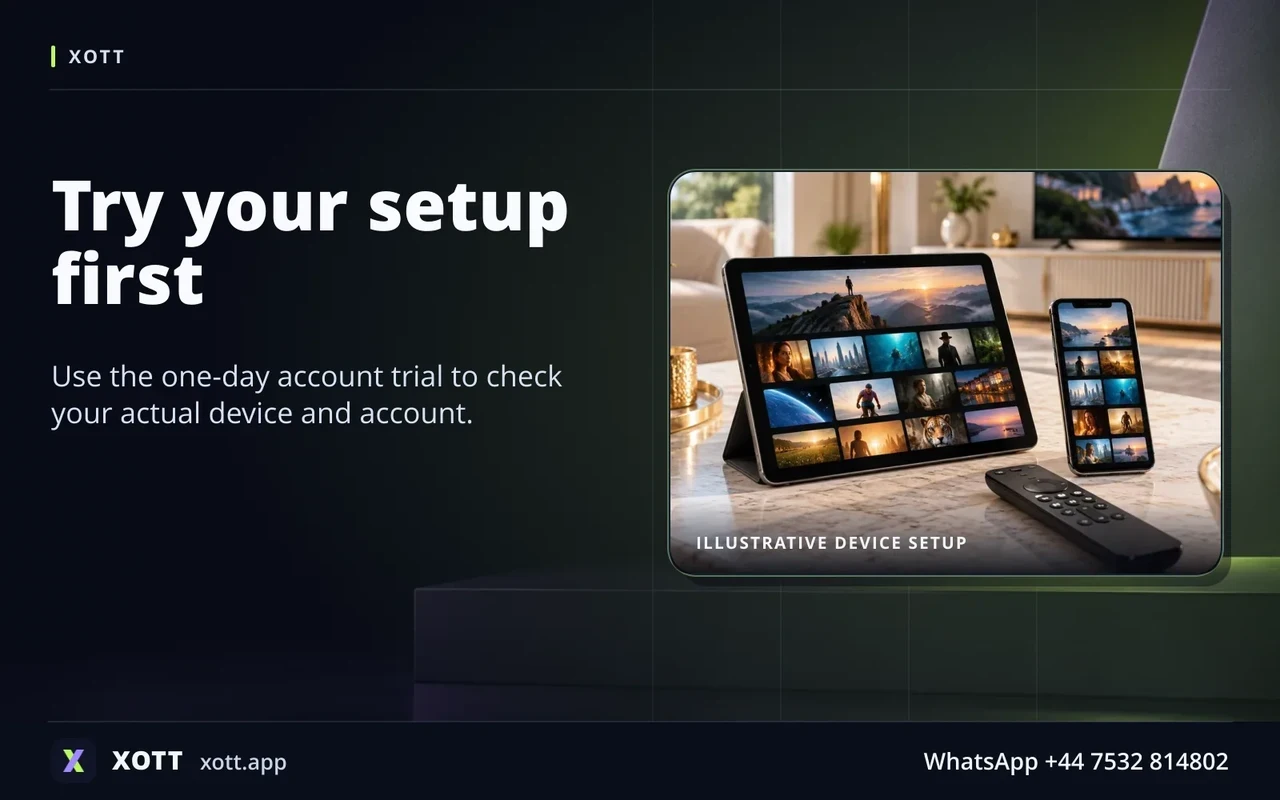
XOTT describes a one-day trial. The best use of that day starts before activation. Find the working app, capture the necessary model details and decide who in the home will do the viewing. If a seller offers to start immediately while the device is still in its packaging, ask whether the start can be arranged for a useful window. Confirm whether the trial has the same account features and simultaneous-session allowance as the intended paid service.
Pick two tasks the family regularly does. One might be finding the correct local station in time for the early news. Another could be following an on-demand program with the required language or captions if the account includes a suitable title. Test both from the usual viewing position. Reading a menu up close with a phone in your hand gives a different result from sitting across the room while another person speaks. For an older viewer, the size and contrast of the actual selected menu item may matter more than how many categories appear on the home page.
Include an ordinary interruption. Leave a program, open another permitted item, then return. Turn the television off normally and come back later. Which device remembered the profile? Which favorite or caption setting survived? If the account prompts for a login again, note whether the saved profile remains in the playlist list. The result helps distinguish an app that forgot a preference from an account that no longer authenticates. Neither diagnosis requires publishing a private login in the forum.
End the trial with a sentence for each task. Say what happened rather than assigning a vague star rating. “The account opened on this model, I found the station using its call sign, captions disappeared each time I changed channels, support has the question” leaves a concrete decision for the following day. If discovery or captions are essential, wait for that answer before committing annually. If the unresolved point is an occasional preference, the family can decide what it is worth.
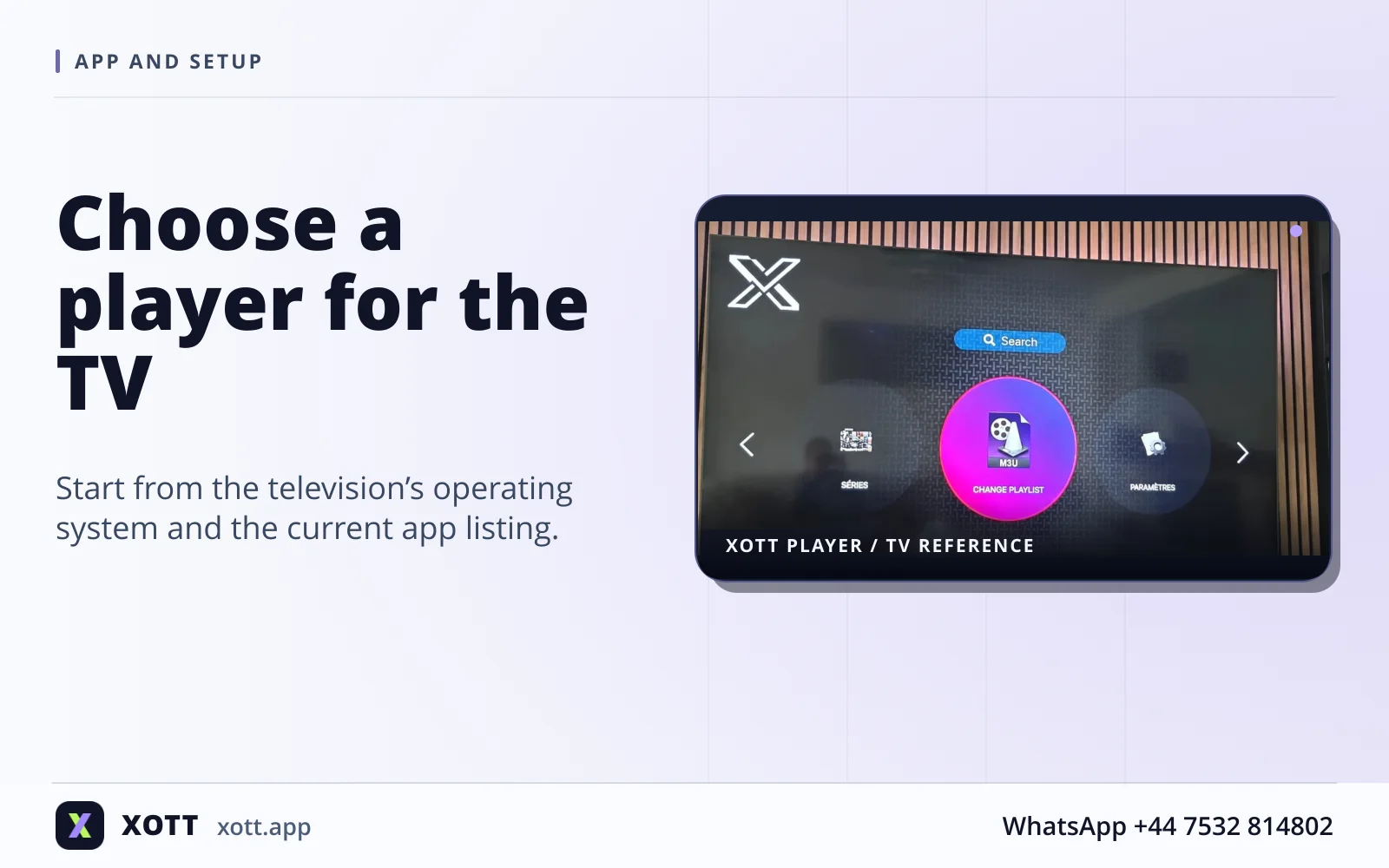
A good use of the provider's player photographs is to identify the kind of screen you have reached. A photographed settings menu can answer “is this where I change the saved playlist?” It cannot prove what features are present in a newer app on another operating system. Look for the task and the relationship between controls. The color of a selected row, a corner logo or the number of menu entries can change between versions without altering the account itself.
Pictures of provider dashboards need an even narrower interpretation. XOTT's reseller material separately describes an 8K PRO dashboard reference. It does not follow that every XOTT buyer receives that particular panel, can create subordinate accounts or has every permission shown. A purchaser should ask which panel will be assigned and which operations belong to the account being offered. A gallery can help both parties discuss a screen without turning a reference image into a contractual promise.
This distinction also matters when a household and a reseller share a troubleshooting conversation. One person might be looking at a balance and an expiry in an operator panel. Another person is looking at playlists within the TV app. Identical words such as account or settings can refer to different things on those two screens. Begin by naming the device and role. “The television player saved the profile; the reseller is checking the new customer expiry” is a much more useful exchange than a discussion about a mysterious dashboard.
Save a small reference for the next time the household needs help. Record the menu path in words the regular viewer recognizes and the date or version displayed by the app. Leave payment details and hidden identifiers out of a public note. If a later update moves the menu, compare the current layout with the original task. The useful question is still how to reach an authorized account and test a requested program. Reproducing an old photograph exactly has no value of its own.
Buying a standard XOTT subscription for one connection can fit a home with two televisions if only one is used at a time and the seller allows the proposed device changes. Ask before purchase. An evening when one person wants the living-room program while someone else watches a different program in a bedroom calls for concurrent playback. The standard price table describes one connection. It supplies no second-stream price or assurance that both rooms can play at once.
Make a little schedule. In one column write the hours each person normally watches, in another the room, and in a third the actual overlap. Some households discover there is no overlap because one adult goes to work before the other returns. Others discover a thirty-minute overlap matters every weekday. Bring the latter case to XOTT and ask for the actual additional arrangement, total price and restrictions. A cheaper one-connection term may be an inappropriate comparison if a different allowance is the requirement.
Experience with switching is worth recording too. Under an arrangement allowing one viewer to move devices, stop the first player and test how the second takes over. Use the normal exit control if the player has one. Merely switching the television input may leave an external device running in the background. If the second device sees a connection-limit message, record the time and what happened on the first. Ask the seller what behavior it expects before purchasing a second account as a fix.
Accessibility can affect this decision. A bedroom viewer may use headphones and captions while the living room routes audio to a receiver. Switching one allowed account between devices might mean reselecting those preferences. Check where the preferences live. If the player stores them locally, the two rooms may each remember the desired settings. If preferences change with the account, the family may need another routine. A five-minute trial of this real task is more informative than assuming every installation will behave identically.
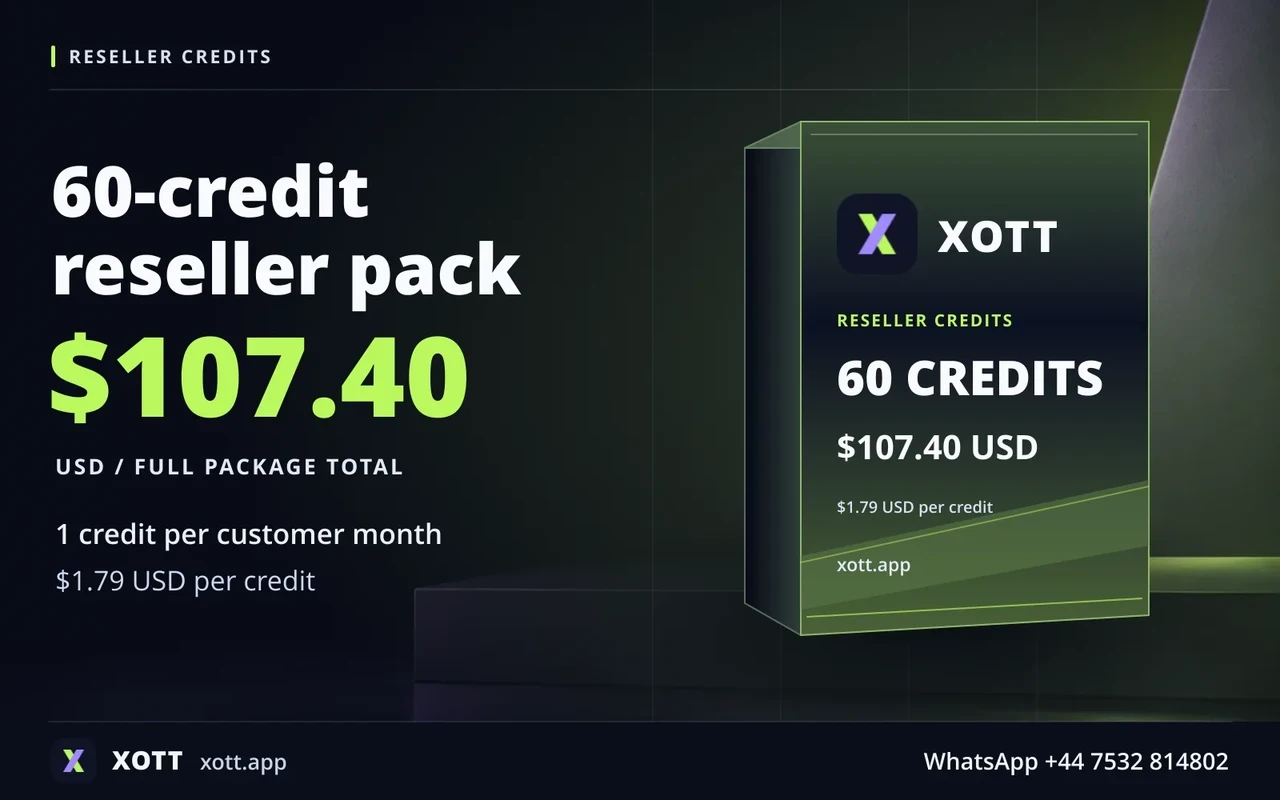
A reseller looking at XOTT has one particularly useful piece of published information. Under XOTT's standard model, one credit corresponds to one customer month. A one-, three-, six- or twelve-month customer term therefore uses one, three, six or twelve credits respectively. Confirm the rules for the assigned account and any different connection arrangement. The published pack rates let a buyer work through an actual renewal queue while leaving panel permissions, expiry and other terms for the operator.
| Pack | Full USD total | One month at standard deduction | Three months | Six months | Twelve months |
|---|---|---|---|---|---|
| 60 credits | $107.40 | $1.79 | $5.37 | $10.74 | $21.48 |
| 120 credits | $202.80 | $1.69 | $5.07 | $10.14 | $20.28 |
| 300 credits | $477.00 | $1.59 | $4.77 | $9.54 | $19.08 |
| 600 credits | $894.00 | $1.49 | $4.47 | $8.94 | $17.88 |
These figures allocate part of the pack purchase to one action at its standard deduction. A retail purchaser still sees XOTT's separately published retail term total. The difference between the two is not guaranteed profit. A legitimate reseller has to account for the time it spends resolving app problems, payment costs, applicable obligations and any reversals or customer remedies it agrees to provide. A new operator may also buy more inventory than it sells.
Suppose a support desk has five customers renewing for a quarter, four renewing for six months and one taking a year. The required credit count is fifteen plus twenty-four plus twelve, or fifty-one. At the sixty-credit pack's unit price the allocated service cost is $91.29, leaving nine credits with an allocated cost of $16.11. The original payment remains $107.40. Cost allocated to this batch and cash required before performing it are two different amounts that belong on different lines in a forecast.
Consider a second group consisting of five annual renewals. Five times twelve uses the sixty-credit pack exactly. Each activation's allocated cost at the sixty-credit rate is $21.48. If one customer changes their mind before authorization, the remaining four require forty-eight credits, leaving twelve in stock. A buyer who counted five preliminary discussions as five completed assignments would discover the difference when reconciling the closing balance. Reserve credits for authorized work and track enquiries separately.
A workable XOTT ledger starts with the opening balance and the unit rule. Record each completed action with an internal customer reference, term, debit, ending account date and the person who checked it. A row for an approved quarter should show three credits under the standard rule. If it shows six, find out whether two actions were submitted or the account has a different agreed rule. The number in the balance alone cannot identify the cause.
Imagine an opening balance of seventy-eight credits. Two six-month renewals use twelve, three quarterly renewals use nine, and one annual activation uses twelve. The expected close is forty-five. If the panel displays forty-four, look for one extra monthly action, a different starting balance or a correction issued by the operator. Those are possibilities to investigate, not conclusions. Export or retain evidence through the allowed feature of the assigned panel. Keep the private customer details outside any screenshot sent to a public discussion.
An operator managing more than one pack should also preserve which stock purchase funded the balance. Unit rates fall with quantity, but a desk topping up across differently priced purchases cannot assume every credit cost $1.49. Review actual paid invoices. A sensible operating statement distinguishes starting inventory, newly purchased units, units used, adjustments and ending inventory. One simple quantity reconciliation can identify a missing transaction before a pricing spreadsheet makes the wrong numbers look convincing.
Ask about role separation before hiring help. A colleague who answers “when does my account end?” might only need to read a customer record. A colleague approved to renew an account needs a different permission. If the operator only supplies one privileged account, the business needs a staffing procedure compatible with that limitation. A training photo or the existence of a wholesale enquiry form does not authorize sharing a privileged account or transferring credits to another seller.
XOTT publishes separate routes for reseller credits, wholesale enquiries and distributor enquiries. A shop fulfilling a limited set of household orders can start with the standard pack and customer-month questions. A business forecasting larger inventory needs can use the wholesale route to present a specific volume and time window. Someone proposing to manage other sellers needs to ask about roles, permissions, stock transfer and escalation. Using the right heading gives the operator a question it can actually answer.
A wholesale forecast is clearer in customer months than in signups. Ten annual customers require a different standard credit allocation from ten customers buying one month. Give the expected mix, the proportion already confirmed and the point at which the business needs the units. Ask for the total payable for the requested pack and any time limit on unused stock. If the operator returns a custom price, keep it as a dated private quote. Its conditions may not apply to another business reading the public website.
A distributor proposal has a separate operational challenge. If a downstream seller makes the wrong renewal, who can see or correct it? If a customer contacts XOTT directly, which party owns the support case? Ask how the program identifies each seller and how a dispute is reconciled across accounts. A volume discount, even if approved, answers none of this. A small business that only plans to help its own customers may have no practical need for multi-seller permissions.
A producer seeking to deliver its own licensed video is asking a different question again. The merits of an XOTT player or a reseller balance do not establish an agreement for ingest, transcoding, distribution, storage or managed capacity. Describe the feed, rights, intended audience and delivery requirements to a provider whose actual offering covers those services. Keeping the tasks separate protects a buyer from spending money on a pack that can never solve an infrastructure problem.
Find the name at the top of the screen before trying to pay again. A player publisher can ask about its own software license while XOTT has already renewed the viewing account. Conversely, a still-licensed application can open normally while a viewing account has expired. Compare the payer on the first receipt with the party named on the new prompt. The wording, app publisher and order reference are more informative than the coincidence of two similar dates.
Ask XOTT to confirm the account and current expiry using the authorized support reference. If those are right, ask the software publisher which license belongs to this device or store account. If the viewer recently replaced the television, determine whether a permitted transfer or new purchase is needed. The account's saved profile may also still point to an earlier trial. Open the account list and check the nonsecret display labels before entering fresh credentials or discarding an existing profile.
If the viewer wishes to change player entirely, confirm that the alternative app supports the account's actual connection method. Find out whether favorites or parental settings can be moved through supported means. Some preferences may be local to one app. A household can accept the hassle of rebuilding a short favorites list while still wanting a confirmation before paying a separate charge. The practical cost of switching includes the regular viewer's ability to find programs on the replacement.
Close the issue with a note describing which renewal was required, which account remains in use and when the next charge or manual review falls due. A household calendar can hold a reminder without storing the playlist address. If the family decides to stop the subscription, use the appropriate seller terms and check any separate app payment independently. Removing an app from a television does not itself tell the seller what to do with a separate viewing or billing arrangement.
Before committing, hand the remote to the person who usually watches without assistance. Ask them to open the player, find a regular broadcast, turn captions on if needed and get back to the normal television input. With permission, watch where they stop rather than taking over. A small change such as renaming a local playlist label or moving a favorite can solve a bigger usability problem than switching providers entirely.
If the user selects the wrong saved profile, discuss whether an obsolete trial can safely be removed after confirming which account is current. If the problem is the wrong HDMI input, a small note next to the remote may help. If the difficulty is reading the guide from the sofa, try the app's supported display settings or a different approved player where available. Record what worked for this television. Somebody living in another household with a different app version may have an entirely different result.
The XOTT buying decision has a straightforward end point. For a viewer, establish that the chosen player works on the actual screen, that the published single connection fits the household and that the term is worth the total payable. For a reseller, establish that the assigned program follows the documented customer-month rule and that confirmed demand justifies the chosen pack. A player photograph and a price table are valuable starting points. The completed decision belongs to the particular person, account and equipment on which it will be used.
First compare a scheduled program with the broadcaster's own public schedule in the relevant local time zone. Choose a station that the account legitimately carries and that the viewer can identify by its full name. Note the program listed in XOTT's player, the picture actually on screen and the time on a reliable household clock. Repeat on a second familiar station. If only one entry is wrong, that is a very different support question from a guide that is displaced by the same hour throughout.
Daylight-saving changes make vague descriptions particularly unhelpful. Include the date, city or time zone and whether the entry concerns today or a future day. If the local program is carried on both an eastern and a western feed, check which feed the account actually names. Two streams with the same network branding may quite correctly show different programs at the same instant. Identifying the wrong one as a guide failure can lead to an unnecessary player reinstall while the intended feed sits a few rows lower.
For the second experiment, test how a recent guide change appears after an ordinary app exit and reopen. Note whether the program grid, the category list or the selected account changes. Use only the update or refresh action supported by the installed app. There is no need to erase all saved data just to report a missing program description. If the guide has the right program and the wrong picture, say that. If both the picture and title are right but the displayed start time is incorrect, say that instead.
The message to support can be short. Give the station identity, observed time and zone, expected program from its own schedule, what the player displayed and the app version. Hold back the playlist address and any device-specific activation code. If another program on the same account works, add its name as a comparison. An operator receiving those few facts has a way to investigate the actual symptom. A photograph of a generic home screen gives them very little to go on.
Suppose an XOTT reseller can confidently schedule eighteen three-month renewals and three annual ones for the coming period. Eighteen quarters need fifty-four credits. Three annual accounts need thirty-six. Together they require ninety. A 120-credit pack at $202.80 covers the confirmed work with thirty units left. Two sixty-credit packs would give the same 120 for $214.80. The larger single purchase saves twelve dollars against those two small purchases, provided both options would otherwise be needed at their quoted prices.
If all three annual transactions are still enquiries, the confirmed requirement drops to fifty-four. The sixty-credit pack then covers the known work for $107.40 and leaves six. Committing to 120 at that point means advancing an additional $95.40 while waiting to see which customers authorize their annual purchases. Saying merely that 120 offers a lower cost per month omits the decision a small business actually faces. The certainty and timing of the renewals change what is sensible even when every printed price stays the same.
Think also about what happens if the uncertain orders arrive gradually. If one annual order becomes firm after spending fifty-four of the original sixty credits, six remaining units will not cover it under the standard rule. The business must top up or defer taking responsibility for that order until the necessary stock is available. That timing belongs in the quotation. A customer promised a renewal that evening is counting on the reseller to have both the units and someone permitted to apply them.
A final column for the time of each authorized action is useful. A customer paying at noon and watching that evening will care when the new term is actually available. Keep payment confirmation, reseller action and observed account expiry as separate entries. If a returned payment or pending transaction changes what the reseller can authorize, handle it through the agreed purchase conditions. Do not use a fresh customer payment as proof the panel balance changed. The two operations leave different evidence in different systems.
For someone who runs the business alone, schedule a second look at the closing balance on the following morning. Read the list of authorized customers from their confirmations first, then compare the corresponding account end dates and stock movements. Looking at the balance first can make a neat round number seem reassuring even when the wrong customer's line received the right number of months. A correct debit and a correct beneficiary are both necessary for a clean handoff.
This check can be done without logging into anybody's viewing account. Compare the permitted administration record with the internal order reference, then ask the customer to confirm access through their regular device. If they report a problem, preserve the successful account action as a separate fact while working through the player, connection allowance and guide checks above. The ability to separate those facts is one of the strongest reasons to keep good records from the beginning.
XOTT Player and interface guidance · Samsung TV app lookup · Viewing prices and the published connection allowance · One-day trial · Renewing an existing account · Reseller prices and standard deductions · Wholesale enquiries · Distributor enquiries.
Suppose you expect to watch for six months. At the listed single-month amount, six separate purchases would total $57.54 USD. The six-month offer asks for $39.99 USD up front. That comparison assumes every new month is available at the listed amount. Check renewal separately before relying on it.
| Viewing period | Separate monthly purchases | Single matching term | Difference | Monthly purchases to reach term price |
|---|---|---|---|---|
| 3 months | $28.77 USD | $23.99 USD | $4.78 USD | 3 |
| 6 months | $57.54 USD | $39.99 USD | $17.55 USD | 5 |
| 12 months | $115.08 USD | $54.99 USD | $60.09 USD | 6 |
Read the final column as a spending threshold. If you expect to cancel sooner, compare the shorter commitment with the cash you would have paid up front. The figures exclude fees the seller has not confirmed.
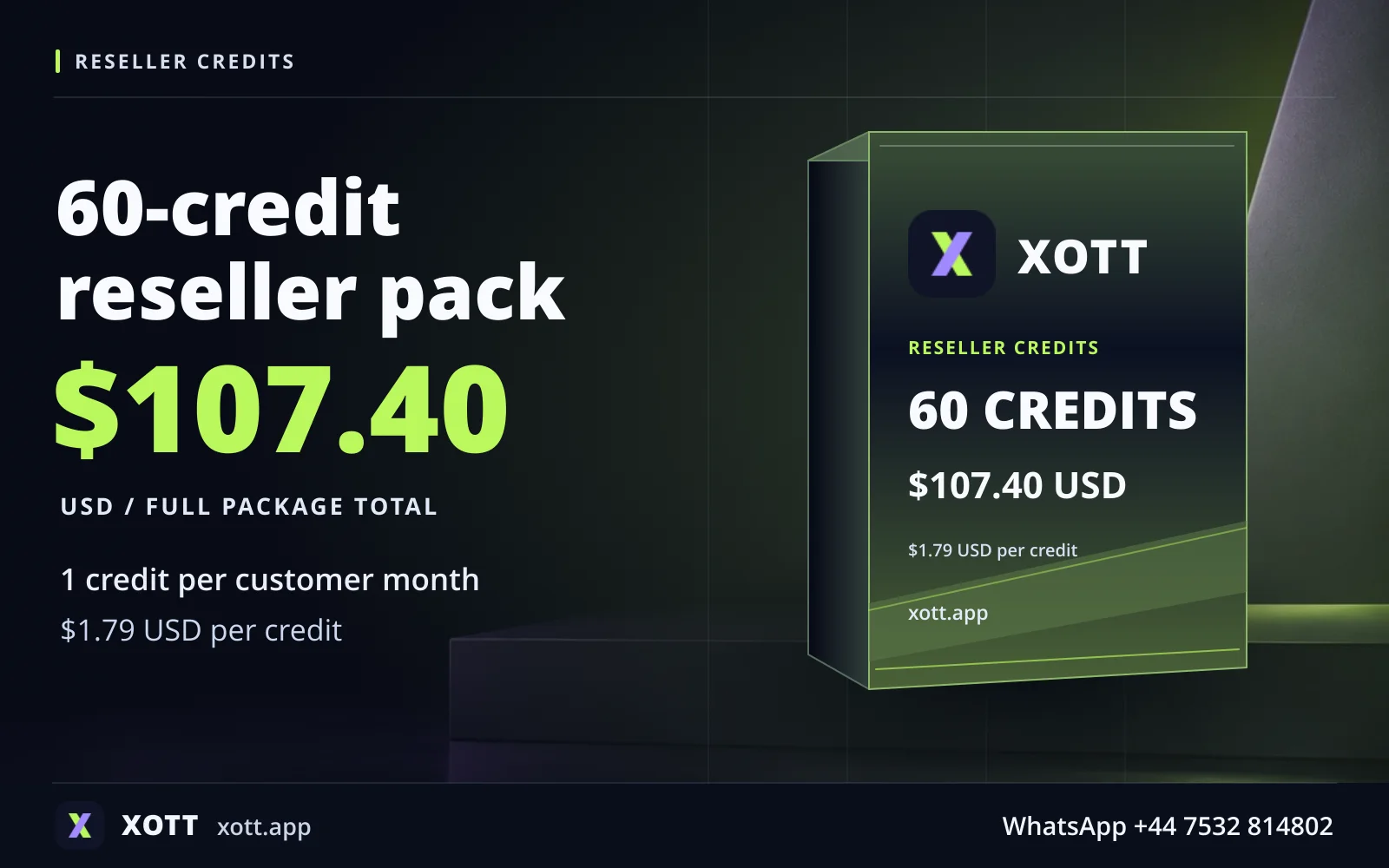
Check XOTT subscription termsThe smallest priced pack in this register holds 60 credits and costs $107.40 USD. The largest holds 600 for $894.00 USD. Their displayed unit costs are $1.79 and $1.49 respectively. The published deduction for a standard twelve-month customer is 12 credits. Check the operator’s treatment of additional screens and renewals.
The image link identifies the exact file served by the provider.


Choose a matchup to see the actual currency, term and outcome.
Open the caption on a website-sourced image to see its original. The remaining captions identify material supplied with the provider archive.